When people search for ‘What is RSS’, they are typically looking for a simple way to follow their favorite sites without having to scroll through noisy social media feeds. RSS gives them updates the moment something new is published. It pulls fresh content into one place so you never miss a post.
RSS is easy to use and works with blogs, news sites, and podcasts. It sends updates straight into a feed reader, so you stay focused without extra steps. This guide walks you through how RSS works, why it remains relevant today, and its role in enhancing your SEO.
Highlights
- A clear answer to what is RSS. Learn how RSS gives you updates in order without noise or algorithms.
- Simple breakdown of how feeds work. See how sites publish XML files and how readers pull updates into one clean list.
- Why RSS still matters today. Understand why many people prefer direct, chronological updates over social media feeds.
- How RSS supports SEO. RSS helps search engines find new content faster and strengthens long-term visibility.
What is RSS? Understanding the basics of Really Simple Syndication
RSS is a simple way to follow popular blogs, news sites, and other online channels without having to check them individually. It’s a stream of updates that comes to you, rather than you having to search for them. A website generates an XML file listing its newest posts. A feed reader then pulls that file and shows the latest headlines, summaries, and links.
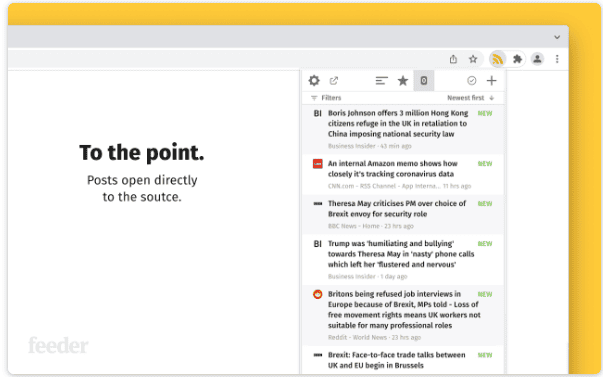
RSS works through different web feeds and formats. These include RSS 2.0, RSS 1.0, and Atom.
These formats adhere to rules defined by an XML schema, which helps maintain a clean and consistent structure. Each item inside a feed has metadata. This can include the post title, the publication date, the author, and other details that help readers and tools understand what the content is about.
How RSS feeds work
RSS works by sending updates from a website straight to a reader. The site creates a small file that lists its newest posts. Your reader checks this file often, so it can show you what is new.
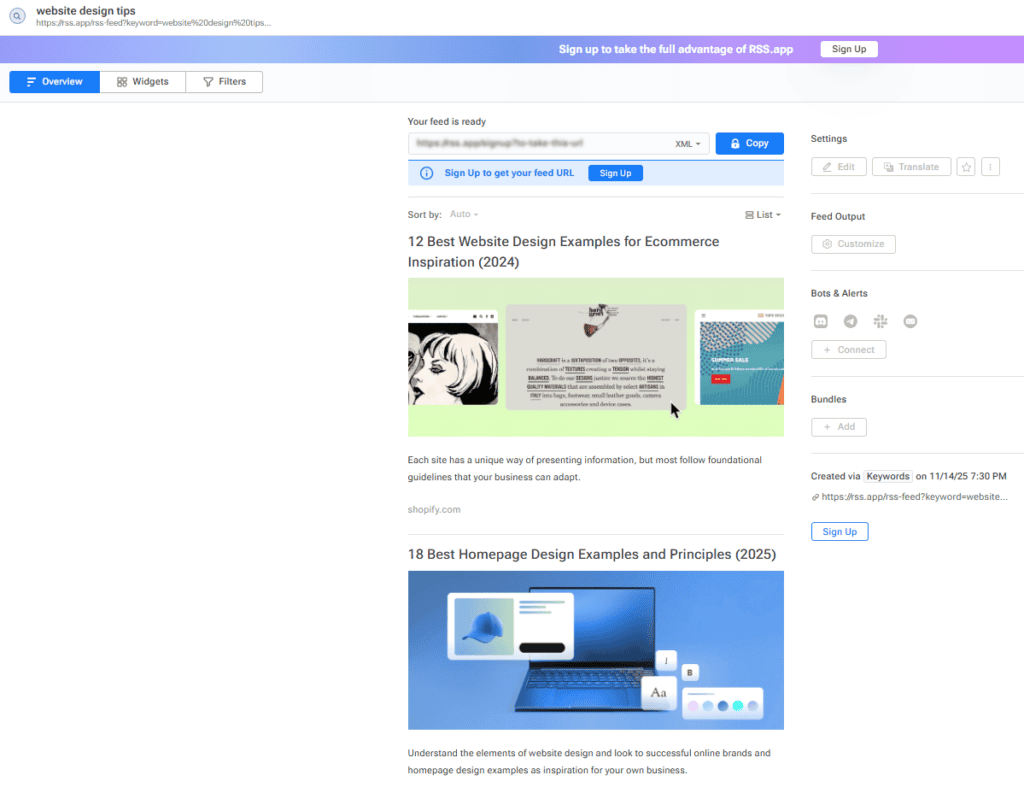
The feed is written using XML files. A tool called an XML Parser reads the file and turns it into a simple list you can scroll through. Some sites display an icon or button when a feed is available. Clicking it shows you the feed in your web browser. And from there, you can save it to your reader.
Once the parser loads the feed, it checks for errors and makes sure the XML namespaces are valid. In the background, your reader manages RSS feed synchronization to keep updates fresh and accurate.
How to subscribe to an RSS feed
Subscribing to an RSS feed is straightforward. You only need a feed reader. Popular tools like Feedly and Outlook allow you to add feeds and view new posts in a clean, organized list.
Many websites show a small orange icon when a feed is available. If you click it, your browser may open a dialog box or open an RSS subscription folder. Older tools, such as Google Reader and FeedDemon, worked similarly.
Some readers also offer the option to subscribe by email, which is helpful if you prefer to receive updates in your inbox. If you want to stop receiving updates, you can easily unsubscribe at any time.
Why people still use RSS today
Recent findings from the Pew Research Center show that about 53% of U.S. adults now get at least some of their news from social media. Since those platforms rely on algorithms to decide what appears first, it becomes easy to miss important updates.
RSS avoids this by showing every post in the exact order it was published, which makes it useful for work, study, or research. It also helps people avoid the clutter that comes with social networks, where updates often get buried under ads or trending posts
Let’s see what is RSS used for on a daily basis.
Bloggers and creators
Bloggers use RSS to follow industry news and spot new trends. A writer may track sites like Problogger to find fresh ideas or study what other creators talk about. This helps them plan articles and stay ahead of changes.
Imagine you’re working on a new branding strategy for a client. You could follow feeds from design and marketing blogs to gather ideas without scrolling through social media.
Students and researchers
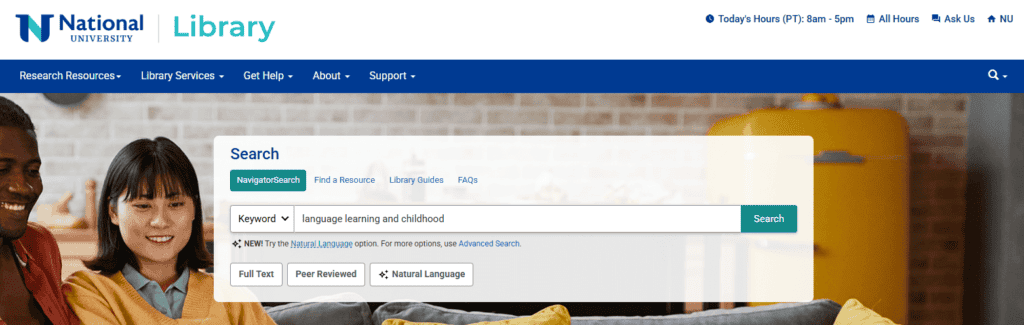
Students and researchers use RSS to stay up-to-date on research topics. Many university libraries offer feeds for new papers or journal releases. This makes it easy to stay updated without having to search every day.
For example, a student writing their thesis on digital marketing for startups could save these feeds as bookmarks and scan them for new sources when needed.
Developers and technical teams
Developers use RSS to track system updates, project changes, or database alerts. Many set up small Python scripts that read feeds and send notifications when something new appears. It’s simple to set up and works quietly in the background.
This can be useful if someone is trying to make an app. They may use RSS feeds to test how their notification system reacts to new data.
How RSS supports your SEO strategy
RSS can help search engines notice your content faster. When your feed updates, it highlights what is new, what has changed, and what needs to be crawled. This creates a clear path for search engines, which can lead to quicker indexing and earlier visibility in search results.
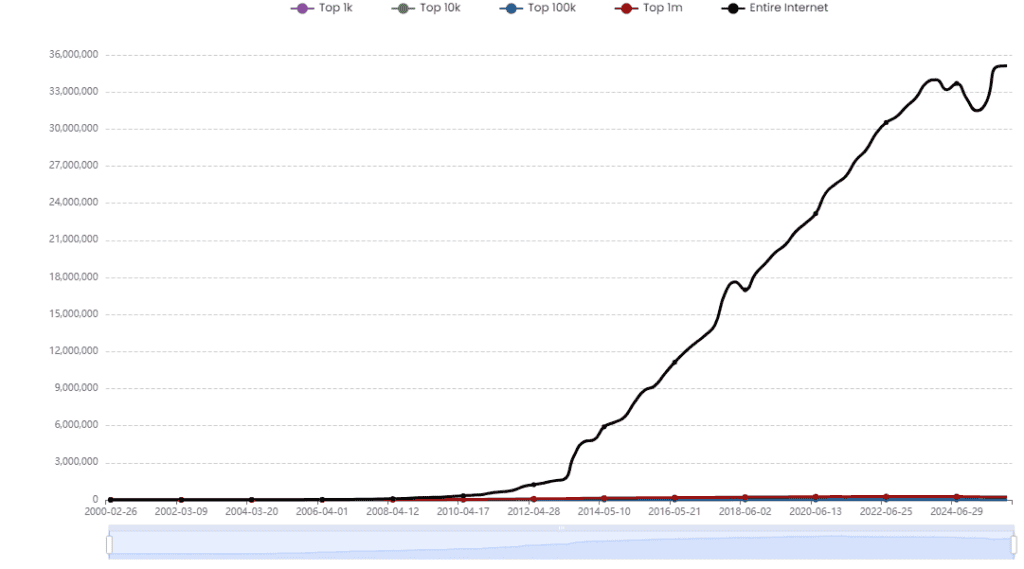
Built With reports that nearly 36,000,000 websites still use RSS feeds today. This shows how reliable and trusted the format remains, even with newer tools available.
Why RSS strengthens your visibility
RSS supports content aggregation. This means your posts can appear inside apps and platforms that users already visit. The more places your content appears, the more likely people are to discover it.
A consistent feed also indicates to search engines that you publish on a regular schedule. If you post weekly, your feed reflects that pattern. Search engines look for consistent activity, and a healthy feed can support those ranking signals.
Long‑term impact on your SEO
You can’t improve your rankings just with RSS. RSS does help search engines understand your content faster, though. It makes your updates easier for users and tools to track. Over time, this steady flow of content and visibility can support a stronger, more predictable SEO strategy.
Why creators and journalists still use RSS
A journalist may follow news aggregators to track breaking stories in real time. RSS helps them avoid missing important updates during busy news cycles.
A creator might rely on RSS to stay informed about tutorials, industry updates, or posts that help them plan better content. It also pairs well with a social media scheduling tool to help you create a successful social media strategy. You can pull ideas or articles into your workflow without getting distracted.
Here’s a quick example.
You follow ten different websites. With RSS, new posts appear in one clean list. With social platforms, you could miss half those updates because the algorithm decides what to show. RSS cuts through the noise and keeps everything simple.
Tools you need: Top RSS feed readers
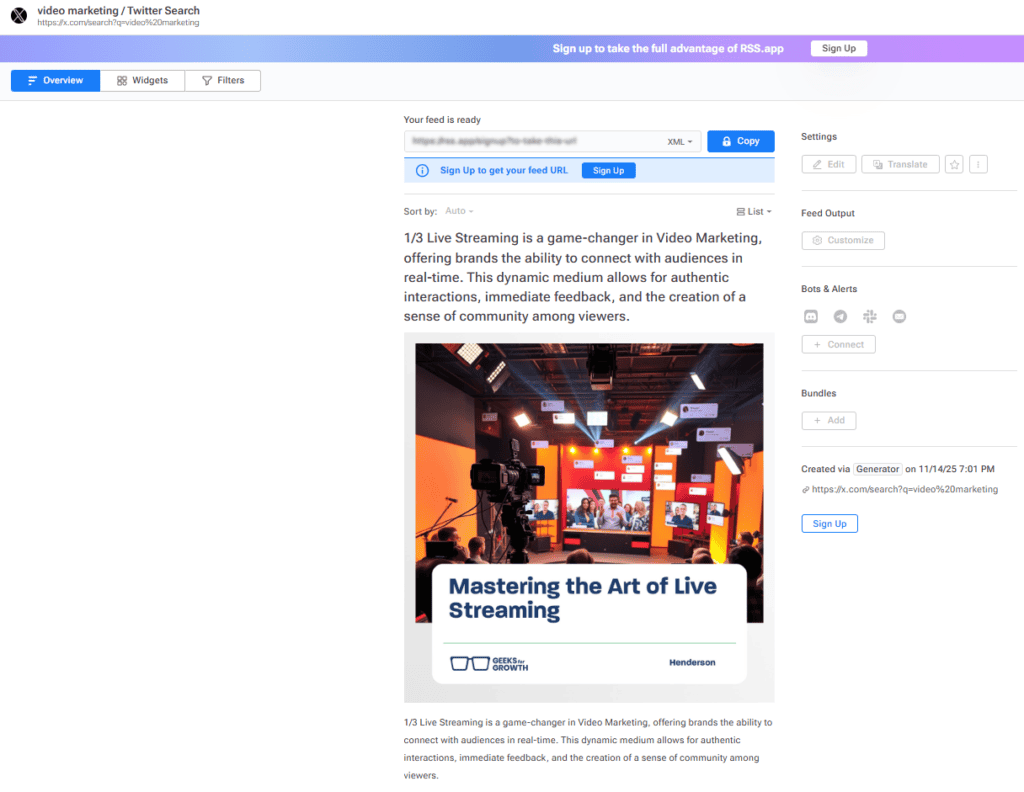
Here are three of the most trusted RSS reader tools that make it easy to follow updates from your favourite sites and keep everything in one place.
1. Feedly
Feedly is a popular cloud-based reader that helps you follow blogs, news sites, and podcasts in one place. It works well for anyone who wants a clean and simple way to track topics without opening multiple tabs. It’s beneficial if you’re building a content strategy. It allows you to group sources, track trends, and save articles for later.
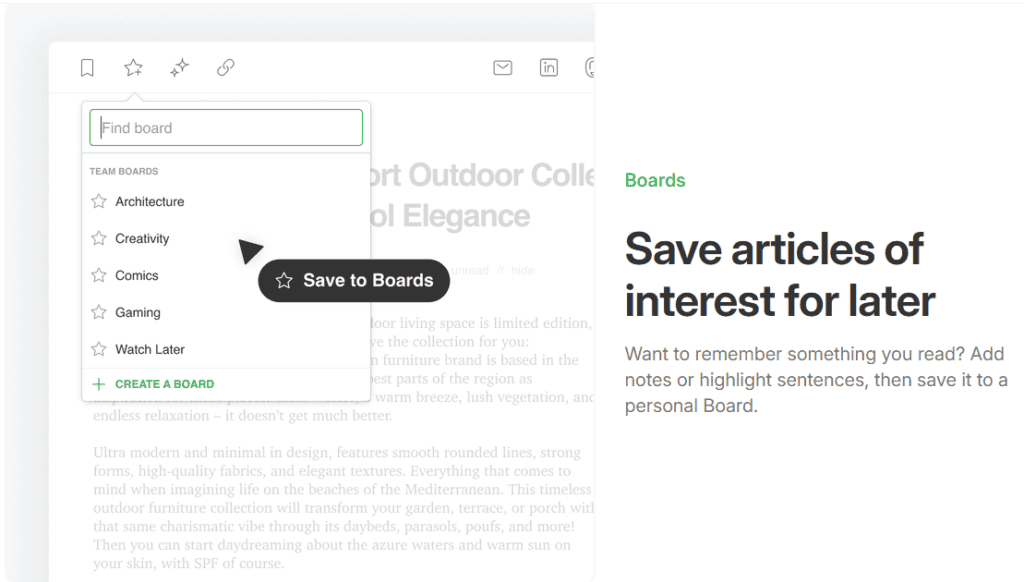
Pricing: A free version is available, while the Pro plan starts at $6 per month.
2. Inoreader
Inoreader is great if you want more control over your feeds. It offers rules, filters, tags, and advanced organization. You can translate articles and automate reading workflows. The tool can help you track competitors, topics, and keyword trends.
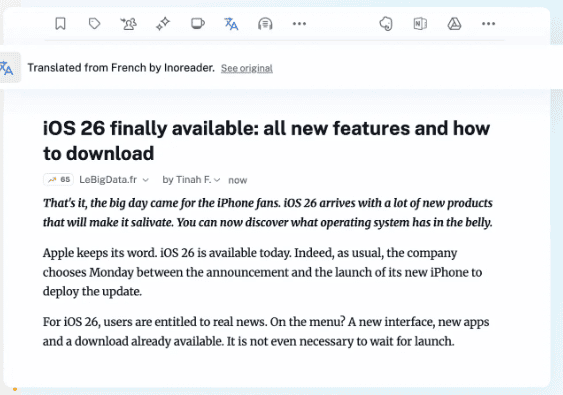
Pricing: Inoreader offers a free version for those who want to test the service. For upgraded versions, plans start at $7.50 per month.
3. NewsBlur
NewsBlur focuses on power‑reader features without feeling overwhelming. It lets you read full articles, train the reader to highlight the content you like, and follow almost any website. It’s helpful for creators or teams who want to gather sources for research or long‑term content strategy planning.
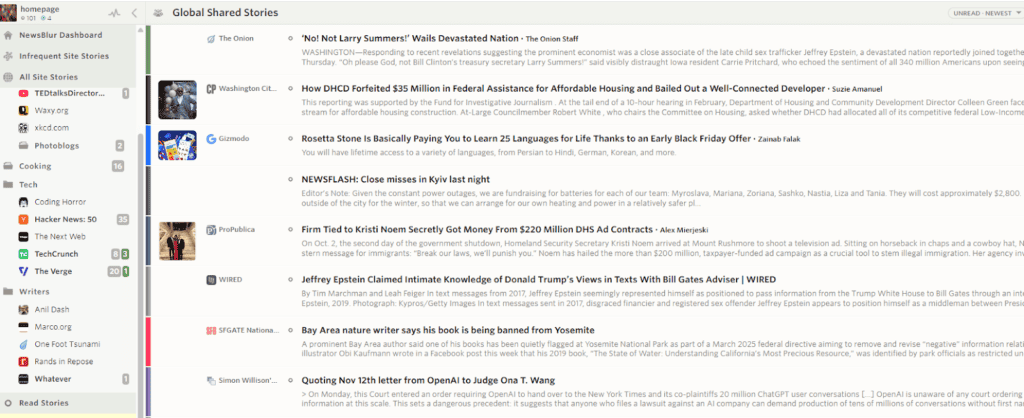
Pricing: It’s free for up to 64 sites. Premium subscriptions start at $36 per year.
How to create your own RSS feed
Creating your own RSS feed is easier than most people think. You don’t need to be a developer, nor do you require advanced tools. You only need a simple structure that tells readers and search engines what’s new on your site.
Start with a basic XML structure
An RSS feed is built using an XML file. This file lists your latest posts, along with their titles, links, dates, and short descriptions. Most website platforms already generate these files for you. WordPress, for example, creates a feed automatically for every blog.
If you’re using a custom website, you can create your own feed by setting up a small XML file and updating it whenever you publish something new. Many guides online show the exact structure you need.
Use tools that generate the feed for you
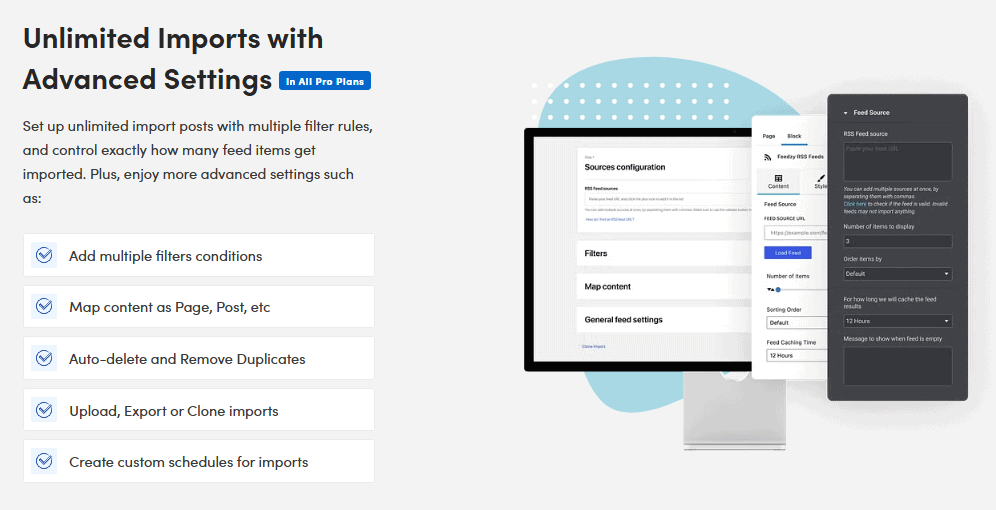
If you don’t want to write XML yourself, many tools can generate RSS feeds automatically. Some website builders also include this feature. Others offer plugins (like Feedzy) or add-ons that create the feed each time you publish.
Connect your feed to your content workflows
Once your feed is live, you can use it inside different tools. Many creators use their RSS feeds to support workflows for social media. For example, some scheduling tools can pull your new posts from your feed and prepare them for sharing. This saves time and keeps your posting rhythm steady.
Test your feed before sharing it
Always test your feed to make sure everything loads correctly. Feed readers typically display errors when something is missing or formatted incorrectly. Fixing issues early helps you avoid broken updates later on.
Keep it updated
A good RSS feed updates the moment your site does. As long as your platform or tool is set up correctly, this happens automatically. Keeping your feed healthy ensures that your readers and search engines are always aware of your new content.
Common RSS problems and how to fix them
RSS is simple to use, but feeds can break from time to time. Most issues are easy to fix once you know what to look for. Here are the most common problems and how you can solve them.
Invalid XML or formatting errors
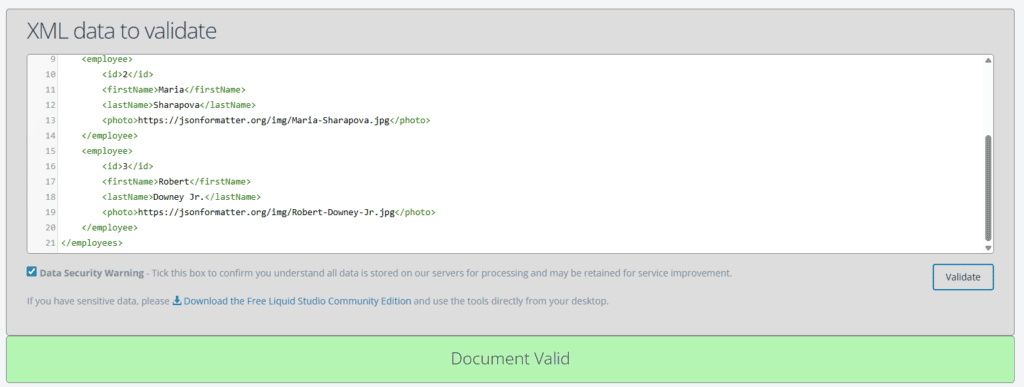
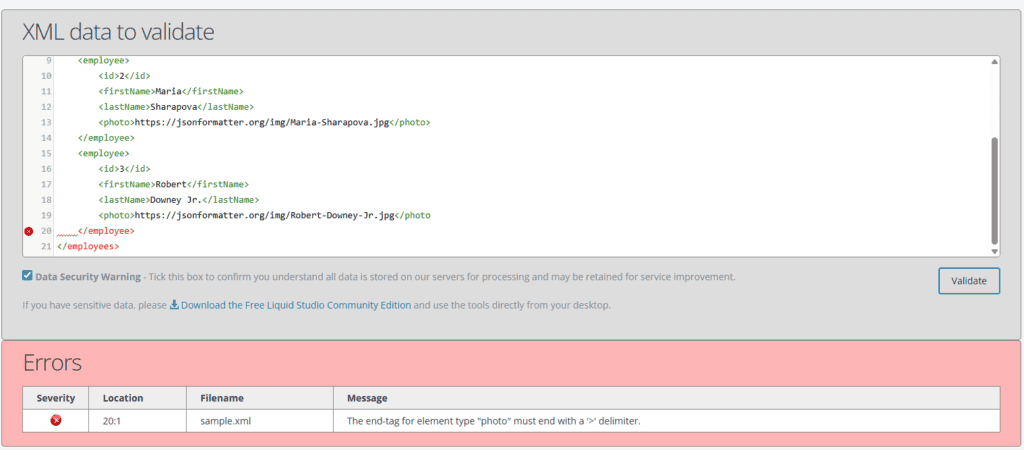
One of the most common reasons a feed fails is invalid XML. Even a minor error, such as a missing bracket or a special character, can disrupt the entire file. When this happens, readers may show an error or fail to load your feed completely.
How to fix it: Run your feed through an online XML validator. These tools pinpoint the exact line where the mistake is. Once you fix the error and save the file, your feed should load normally.
Broken or outdated links
If your feed includes links to pages that no longer exist, some feed readers may flag your feed. While a single broken link may not break the whole file, too many of them can cause problems.
How to fix it: Scan your recent posts and update or remove any broken links. Then, refresh your feed or let your content management system (CMS) regenerate it automatically.
Slow-loading feeds
If your feed takes too long to load, some readers may time out and show errors. This can happen when the feed pulls too many posts or when your server responds slowly.
How to fix it: Limit the number of items in your feed. Most sites show 10 to 20 recent posts, which keeps the feed fast. You can also improve server performance or use caching tools to speed things up.
Wrapping up
RSS is still one of the simplest ways to follow updates without noise. In this ‘What is RSS’ blog, we’ve learnt that you can see new posts in the exact order they’re published, with no algorithms hiding what matters. It keeps your:
- Workflow clean
- Research organized
- Website easier for search engines to understand
If you want to strengthen your visibility, grow your traffic, and build a long-term SEO strategy that works, uSERP can help. Book a call today to explore how our expert link-building and SEO services can support your goals.