So, you want to learn how to use Google Search Console in 2026.
Every metric, error, and performance report you track in this invaluable tool tells a story about how your site interacts with search.
Once you know how to interpret it, you can uncover ranking opportunities you’d otherwise miss, tighten your on-page optimization, and build a smarter data-driven path to growth.
Let’s explore how to set up your dashboard, interpret key data, and use it to strengthen your search engine optimization efforts.
Highlights
- Google Search Console reveals exactly how Google sees your site. It provides real performance data showing which queries trigger your pages, how often users click, and where your rankings stand.
- Setting up and verifying your property is the foundation of using GSC effectively. Once verified, you can submit sitemaps, track indexing status, and monitor every technical and content signal that affects visibility.
- The Performance, Coverage, and Core Web Vitals reports uncover actionable SEO opportunities. These insights help you check Google ranking gaps, fix crawl and indexing issues, and improve page experience for users.
- GSC data directly informs your content strategy. By analyzing search queries and keyword performance, you can update existing content, discover new topics, and align pages with real user intent, something keyword tools alone can’t achieve. Integrating this data into a CRM or marketing automation platform, like HubSpot, helps you connect SEO insights with lead tracking and campaign performance.
- Consistency turns insights into long-term SEO growth. Regularly reviewing reports allows you to detect traffic drops, recover lost visibility, and compound improvements through steady content, link, and technical optimization.
Why Google Search Console is essential for SEO
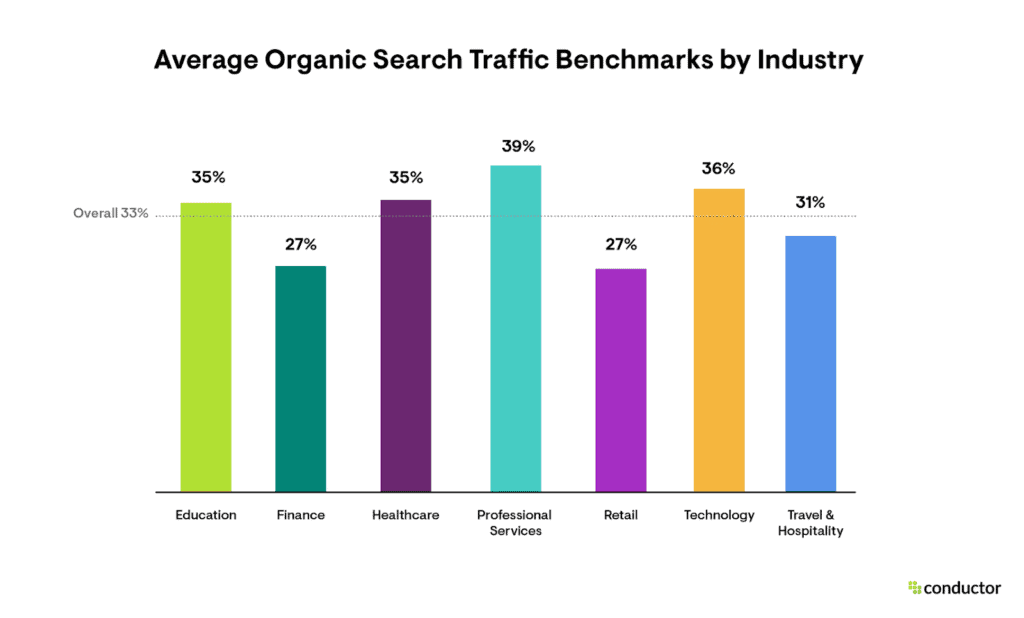
Organic search still drives about 33% of overall website traffic. That’s a third of your visibility tied directly to how well your site performs in Google’s results.
Yet, here’s the kicker: around 97% of all pages get zero organic traffic from Google. Most pages never see the light of day.
What can marketers do about this? Well, if you want to understand how your site performs in search, there’s no better source than Google itself. Google Search Console gives you direct insight into how the search engine crawls, indexes, and shows your pages to users.
Most tools estimate your rankings based on sampled data. GSC shows you the real numbers. You see which queries triggered your pages, how often users clicked, and what position you appeared in.
Beyond performance metrics, Search Console helps you catch technical SEO issues early. If your sitemap breaks, pages drop out of the index, or your site slows down on mobile, you’ll know before it costs you visibility.
It’s also invaluable for tracking progress. Whether you’re updating content, running a redesign, or migrating to a new domain, you can see how changes impact impressions, clicks, and average position over time.
How to use Google Search Console to improve your SEO
At its core, Google Search Console is your site’s communication line with Google. It tells you how the search engine views your pages and how you can fix any issues affecting your rankings.
By learning how to use Google Search Console, you can make informed, data-backed decisions that grow your visibility.
Set up your property
Go to search.google.com/search-console and click Add property.
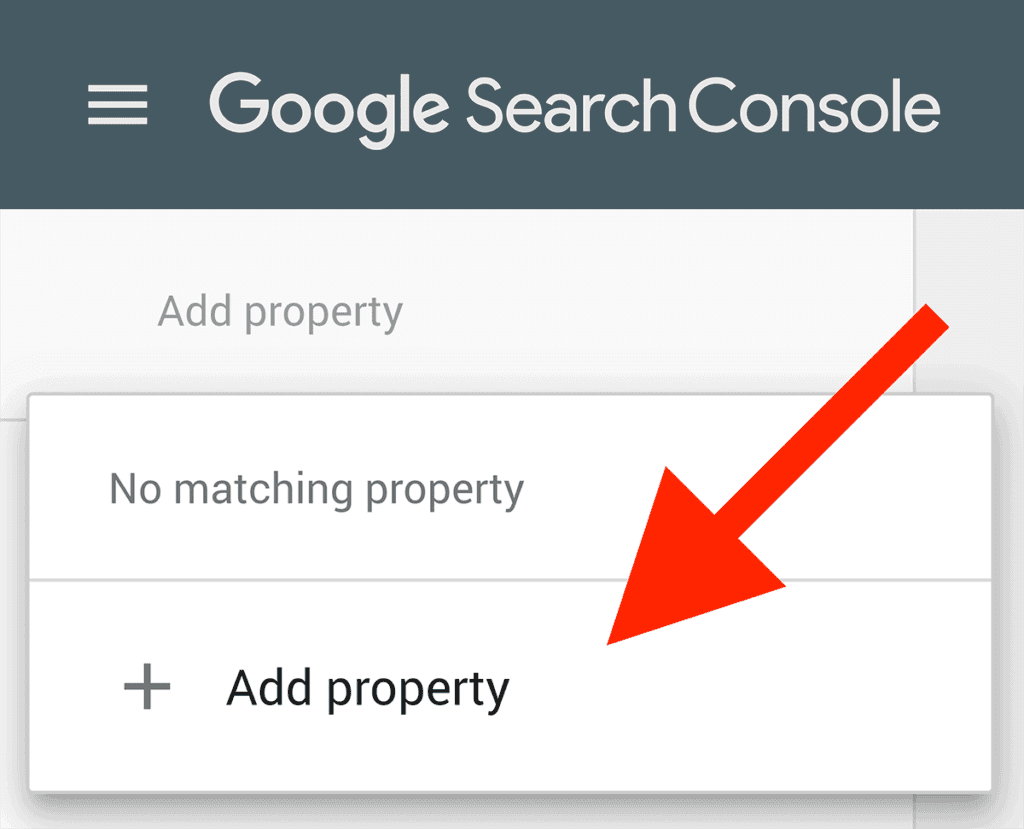
Choose between:
- Domain property: Tracks data across your entire domain and subdomains.
- URL prefix: Focuses on one version of your site (like https://example.com/blog)
Verify ownership using a DNS record, HTML file, or Google Analytics tag. Once verified, GSC will automatically start collecting data.
Why it works
Verification ensures that Google knows you own the site and can access all search data tied to it. Without it, you’re only seeing part of the picture.
Tip: Add both the “www” and “non-www” versions, and the HTTPS property, to cover all bases.
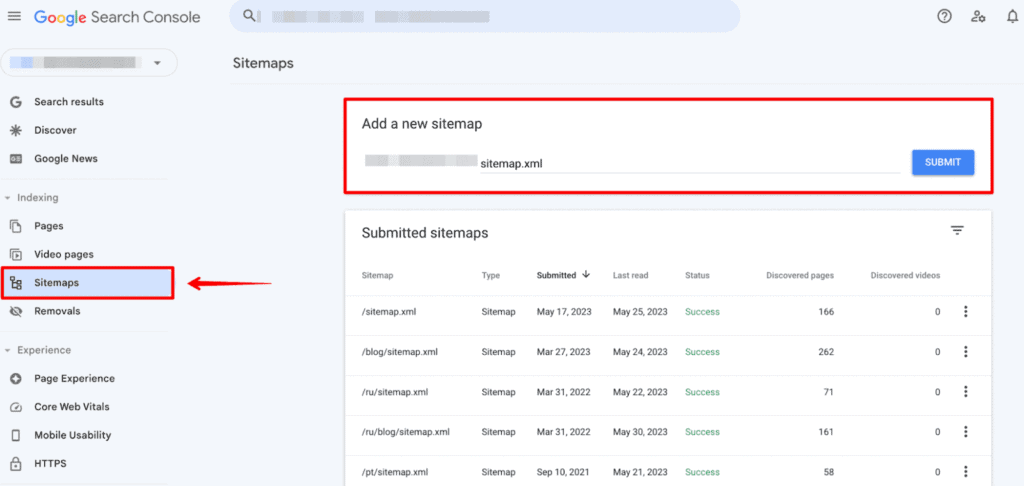
Submit your sitemap
Head to Indexing → Sitemaps and enter your XML sitemap URL → usually something like yourdomain.com/sitemap.xml.
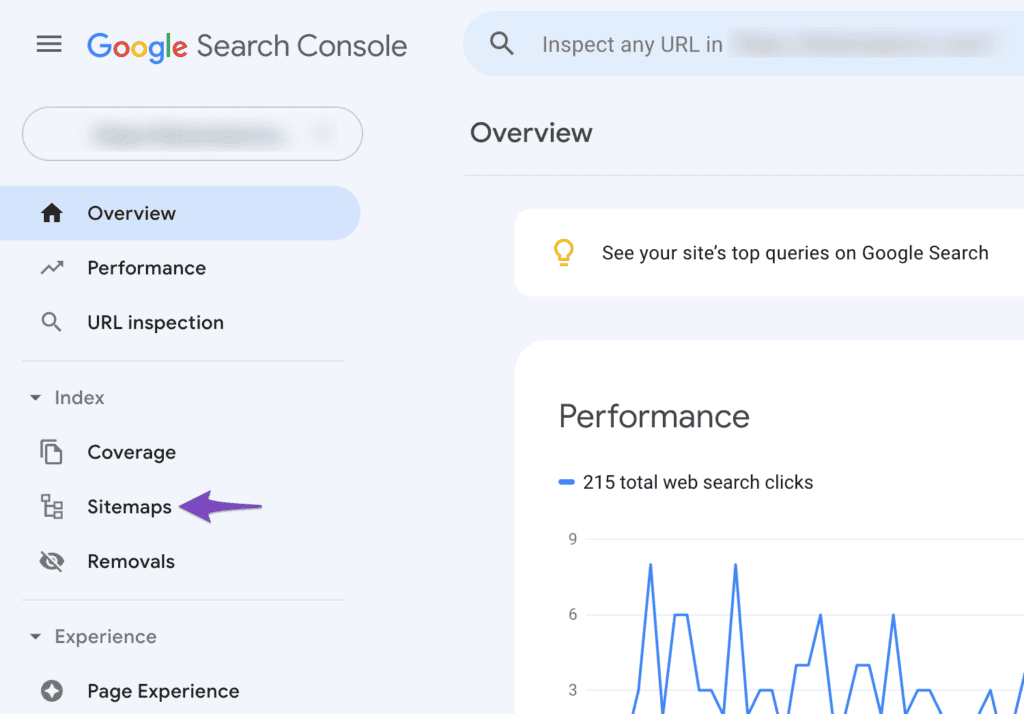
Click Submit to tell Google which pages to crawl.
You’ll see the status update once Google has processed it.
Why it works
Submitting a sitemap helps Google find new or updated pages faster, increasing how often your content appears in the index.
Tip: Update and resubmit your sitemap after any big site changes or new section launches.
Check Indexing and Coverage reports
In Indexing → Pages, see which URLs are indexed, excluded, or erroring out.
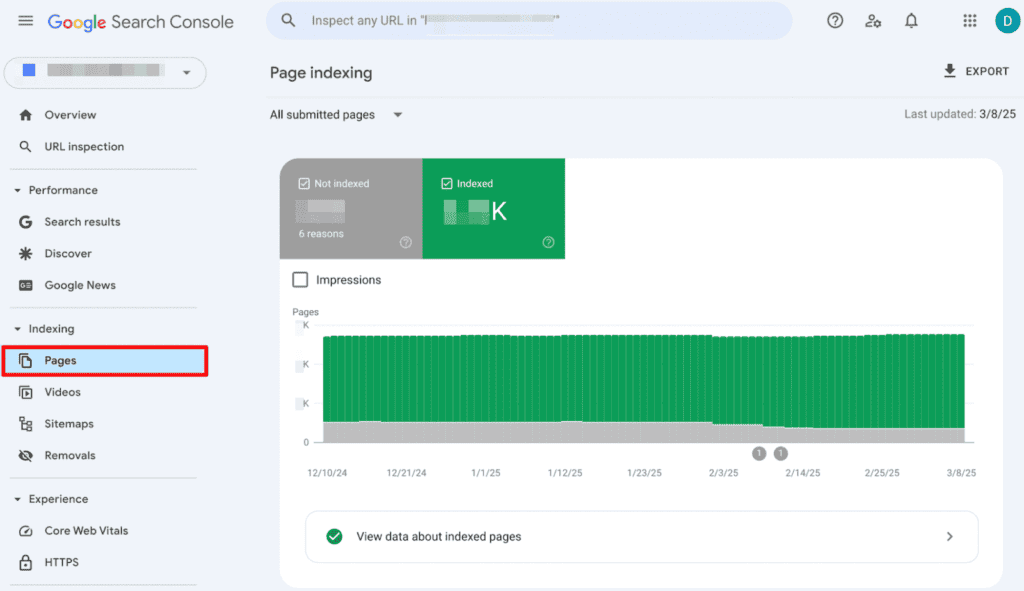
Look for:
- Errors: Broken links or blocked pages.
- Excluded: Pages marked “nonindex” or duplicates.
- Valid: Pages successfully indexed.
Why it works
If Google doesn’t index your content, it won’t rank. The coverage report ensures Google can access and serve your best pages.
Tip: Recheck this report regularly. Plugin updates or redirects can block entire page groups.
Review page experience and Core Web Vitals
Under Experience → Core Web Vitals, you’ll see how fast and stable your pages load.
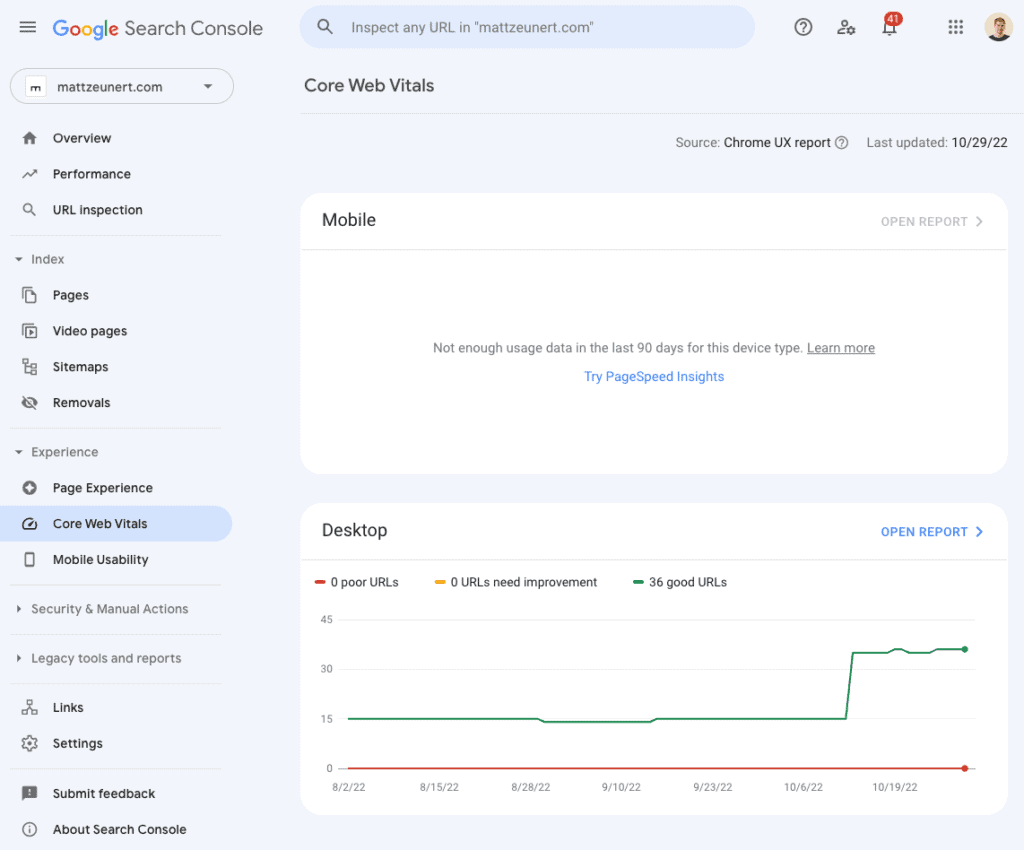
Metrics include:
- Largest Contentful Paint (LCP): Keep under 1.5 seconds.
- Interaction Next Paint (INP): Aim for less than 200 milliseconds.
- Cumulative Layout Shift (CLS): Stay below 0.1.
Why it works
Core Web Vitals measure real-world user satisfaction, a key part of modern SEO performance.
Tip: Use the “Open Report: link to access PageSpeed Insights and get specific optimization recommendations.
Analyze links
Navigate to Links to review who’s linking to your site and how your pages connect internally.
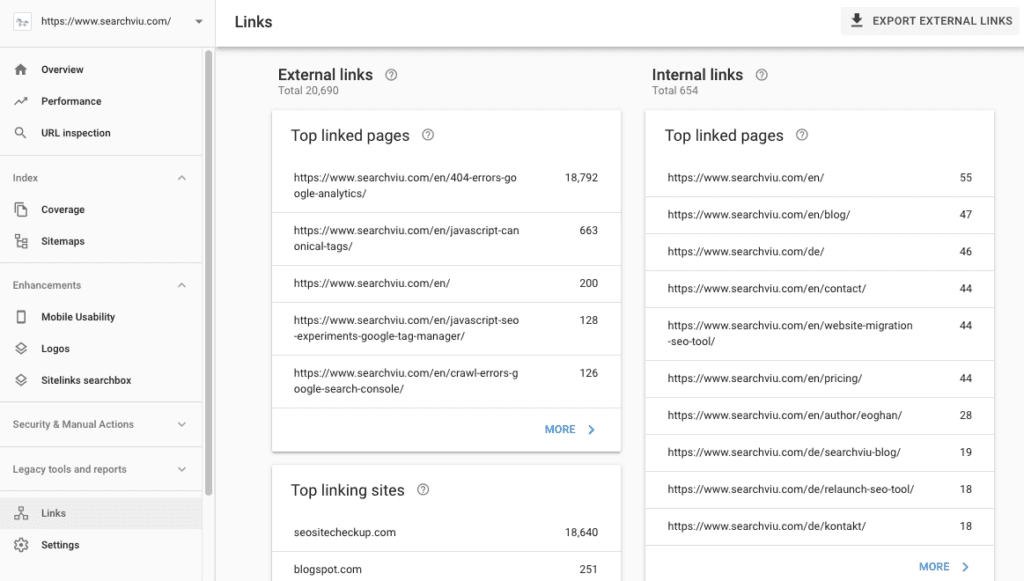
You’ll see:
- Top linked pages (external): Which content earns backlinks?
- Top linking sites: Domains sending authority your way.
- Internal links: Which pages pass the most link equity?
Why it works
Your link structure influences authority flow. By reinforcing strong pages and fixing orphaned ones, you improve crawlability and ranking potential.
Tip: Use this data to plan internal links from high-authority content to newer pages that need visibility.
Monitor enhancements
The Enhancements section highlights schema, mobile usability, and structured data improvements.
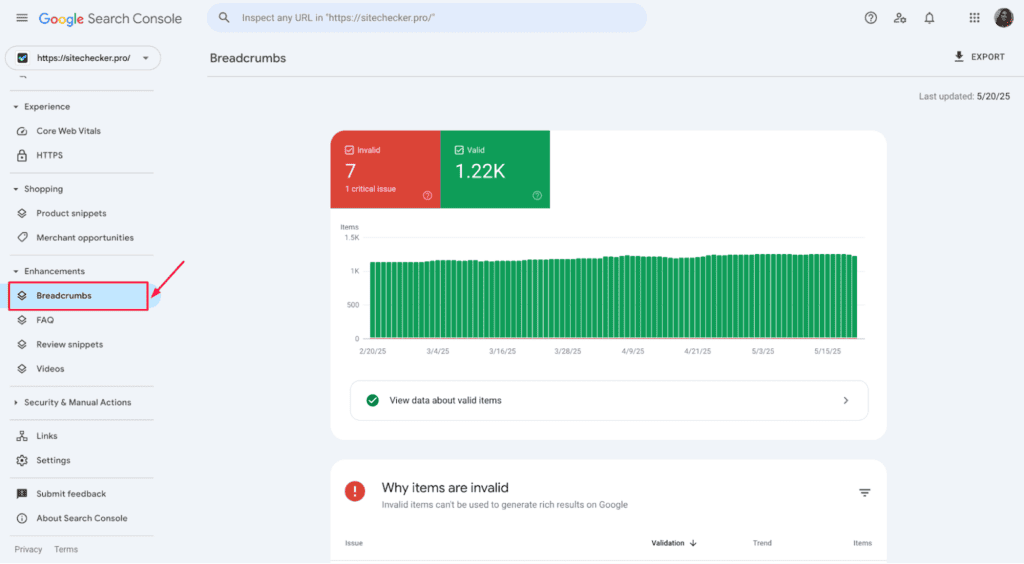
Fix errors, validate changes, and resubmit your pages to ensure Google reads your data correctly.
Why it works
A proper schema helps search engines display rich results, such as FAQs, reviews, and snippets, ultimately increasing click-through rates (CTRs).
Tip: Check enhancements monthly. Even a small layout or code change can trigger schema errors.
Submit and track new pages
Publishing something new? Use URL Inspection → Request Indexing to tell Google immediately.
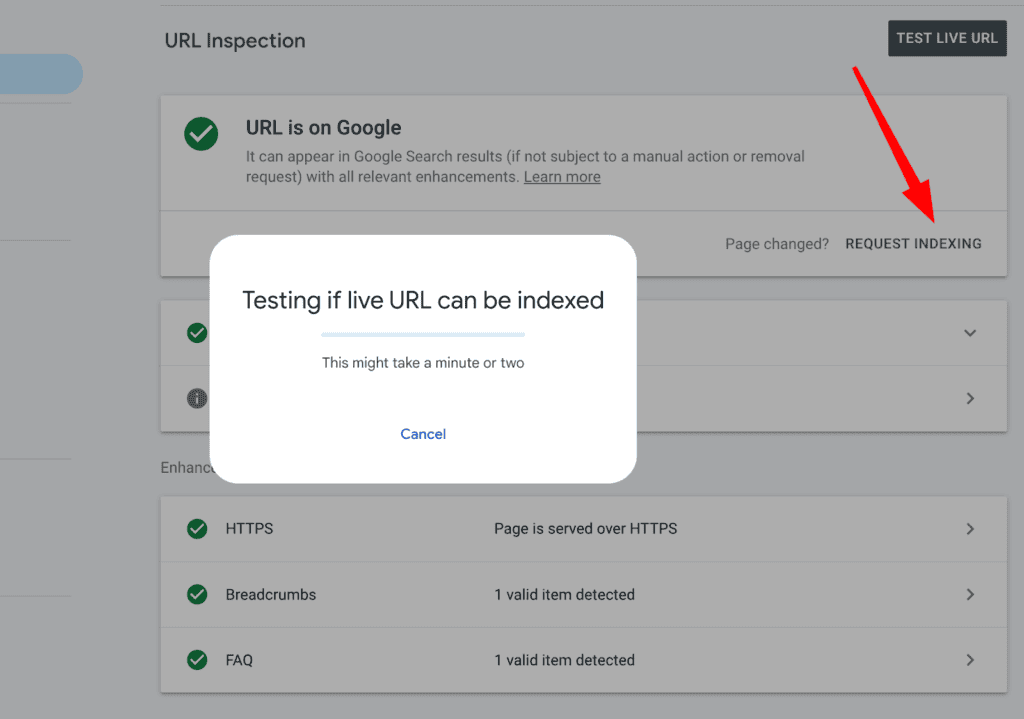
You’ll also see whether Google’s spiders can crawl your page and which canonical version they use.
Why it works
Manual indexing requests accelerate discovery and help you re-rank updated content faster, which is ideal for time-sensitive pages or new campaigns.
Tip: Request indexing for any major on-page rewrite or technical fix.
Check security and manual actions
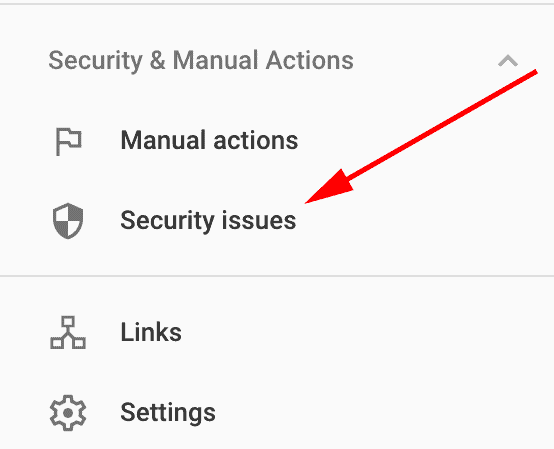
Visit Security & Manual Actions to confirm there are no penalties or malware flags.
- Manual actions: For spammy or manipulative behavior.
- Security issues: Indicate hacked or unsafe content.
Why it works
Catching these early prevents ranking losses and protects your reputation.
Tip: Check this section monthly, even if your site is healthy. Security issues can appear after updates or plugin changes.
Make it a habit
The best SEOs check GSC often. Create a recurring checklist:
- Weekly: Review Performance and Indexing reports.
- Monthly: Check Core Web Vitals and Enhancements
- Quarterly: Review top queries, fix broken links, and resubmit sitemap.
Why it works
SEO isn’t set-and-forget. Consistent review keeps your site in Google’s good graces and helps you catch issues before they cost you rankings.
Tip: Add a calendar reminder to review key metrics every Friday. It takes 15 minutes, but it keeps your data fresh and actionable.
Putting Google Search Console’s insights into action
Once you understand how to use Google Search Console, the next step is acting on the data you’ve gathered.
Analyze search performance and keyword rankings
Start with the Search performance report to identify what’s driving (or stalling) your visibility in Google Search results.
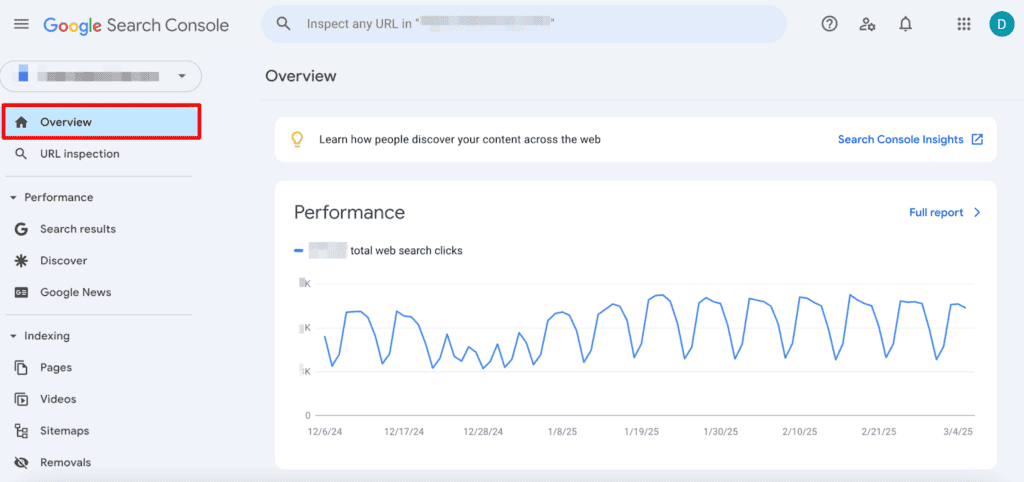
Look for patterns in your search queries. Note which ones are driving clicks, impressions, and steady growth in search traffic.
Then, cross-check your keyword rankings with their search volume to see which pages have untapped potential.
If you spot keywords hovering between positions 8–15, update on-page copy, meta tags, and headers to align better with intent and boost your click-through rate.
This, combined with your usual keyword research, will allow you to uncover which topics deserve deeper content or stronger optimization. As a result, each piece of content has a higher chance of reaching its ranking ceiling.
Diagnose and fix indexing problems
Head to the Indexing tab and open the Sitemaps report to verify your indexing status. A healthy sitemap ensures Google crawls your most valuable URLs efficiently.
Check the Indexing coverage report to find crawl errors, server errors, or blocked URLs that prevent Google from serving your pages.
Run those pages through the URL Inspection tool to see their current state and test whether they’re eligible for reindexing.
Also, if you’re doing a site migration or redesign, always resubmit your sitemap and monitor indexing status daily to catch any pages that dropped out of Google’s index.
Regular site maintenance keeps your content visible and prevents larger issues like sudden ranking drops.
Improve mobile site performance and user experience
Navigate to Page Experience → Mobile Usability to see how your site performs on smaller screens.
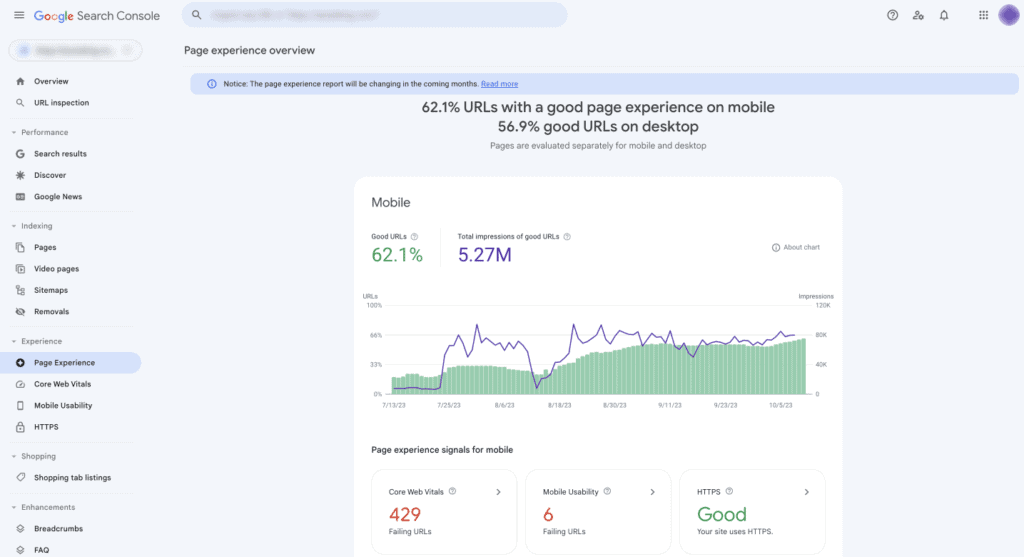
Review any warnings about clickable elements, font sizes, or viewport settings that could hurt mobile site performance.
Pair this with Core Web Vitals insights to make sure your mobile UX supports engagement and rankings.
This is important because Google prioritizes mobile-first indexing. And strong usability improves both your user experience and conversion rates.
Strengthen your internal and external links
The Links report shows every link to your website, both internal and from external referring domains.
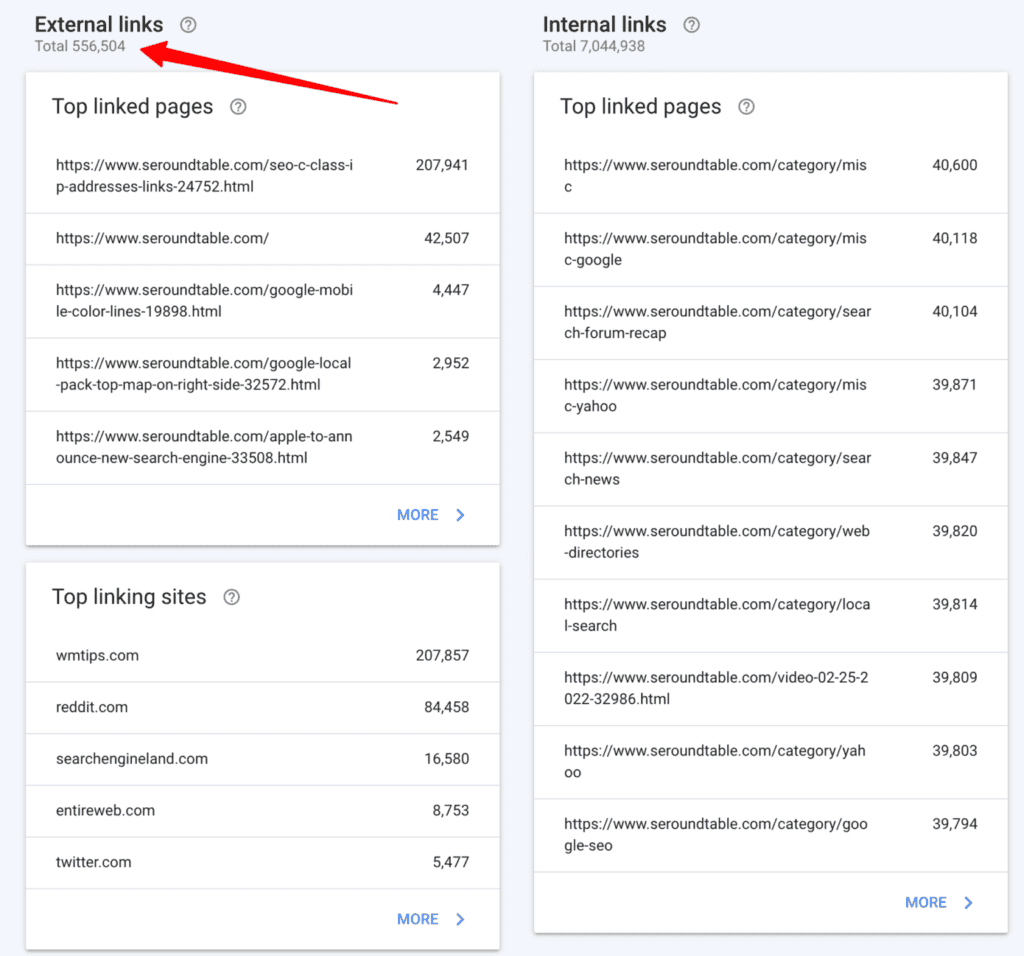
Use it to identify which pages attract the most authority. Then, create new internal links from those pages to underperforming ones.
For example, if you recently lost backlinks or noticed a traffic drop, compare link data month-over-month to spot any declines in external coverage.
Publishing a new guide or blog? Manually link to it from your highest-traffic pages to speed discovery and build early visibility.
Learn how to use Google Search Console to guide future content strategy
Once technical tracking is stable, the next step is using search data to guide content strategy.
Modern SEO is all about using search traffic data to create content with proven demand.
Google Search Console gives you that proof by showing how every web page performs in search results, which search queries bring clicks, and where your keyword rankings hold steady or decline.
Let’s say your SaaS pricing page suddenly ranks for “subscription billing best practices.” That’s not its primary focus, but it’s a signal.
You could spin that insight into a new piece of content targeting “how to optimize subscription billing.”
For example:
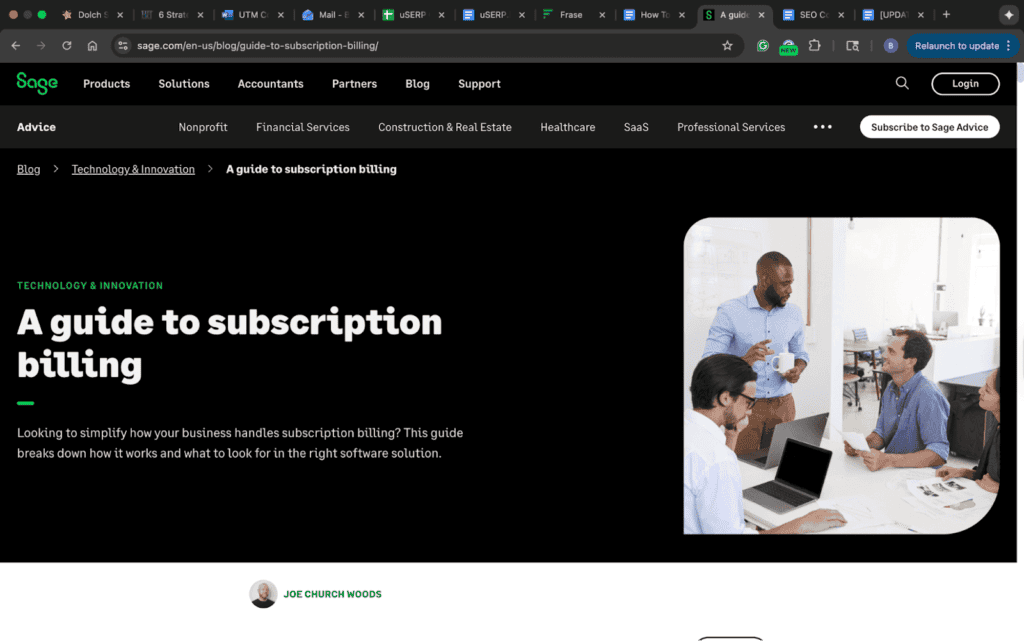
As a result, you can expand the intent already driving organic traffic.
Or, if an older blog post still earns consistent clicks from long-tail queries with rising search volume, update it.
Add a new section, embed visuals, or include a stat refresh. As you improve your site, you give Google fresh serving information to recrawl and re-evaluate.
Why does this work so well? Your own GSC data connects what you intended to rank for with what users actually search. This closes the gap between assumptions and results, something no keyword tool can match.
Build long-term consistency with GSC reports
Using GSC once won’t move the needle. Using it consistently will. Treat it as part of your ongoing site maintenance routine, just like backups or plugin updates.
Set a rhythm. Once a month, open your reports and look for patterns. Did traffic dip after a design update? Did one section of your site lose organic search visibility while another grew?
GSC shows you when changes affect your reach, so you can fix issues before they spiral out of control.
For example, imagine you run a small e-commerce site. You notice your top category page has disappeared from search results. One look at GSC showed that you had accidentally set the page to “noindex” during a theme change.
Without this insight, you’d be missing out on valuable traffic and sales.
Own your SEO with Google Search Console
Search Console rewards curiosity, discipline, and follow-through.
You win when you use it often, test your assumptions, and act on the stories your data tells. So, make GSC part of your routine and let every insight push your site a little further up the SERPs.
Want help building a content and link strategy that turns data into measurable growth? Talk to uSERP today.