




If you want consistent organic growth in 2026, you can’t skip technical search engine optimization (SEO). It’s the backbone that lets search engines crawl, index, and render your web pages fast and correctly.
Getting technical SEO right improves user experience, reduces accessibility barriers, and makes your website easier for search engines to crawl and index.
In this practical guide, you’ll learn the technical SEO practices that matter in 2026. You’ll see what to fix first, why it matters, and how to track your impact on the technical SEO of your site. Whether you’re an agency, in-house marketer, or website owner, this is the 2026 playbook for your SEO strategy.
Highlights
- Technical SEO is all about making your site easy to crawl, index, and render. This protects search rankings and lifts user experience.
- Core Web Vitals measure loading speed (LCP), responsiveness (INP), and visual stability (CLS). Use PageSpeed Insights and Google Search Console to identify issues.
- Use XML sitemaps, a clean URL structure, internal links, and breadcrumb navigation to build a strong website architecture.
- Implement HTTPS with a valid SSL/TLS certificate, enable HTTP Strict Transport Security, and remove redirect chains to maintain site security and performance.
- Monitor and maintain: run regular site audits, fix broken links, 404 errors, and duplicate content, and track changes in Search Console.
Key components of technical SEO
Technical SEO covers everything behind the scenes that lets search engines discover, understand, and serve your content.
Below are the core components you need to optimize in 2026.
- Indexability: A search engine should have no trouble adding a webpage to its index (i.e., database) so it can appear in search engine results pages (SERPs) for relevant user queries.
- Site speed: For loading performance, aim for a Largest Contentful Paint (LCP) of 2.5 seconds or less. Longer load times increase the likelihood of users leaving the site (e.g., bounce rate).
- Mobile-friendliness: Ideally, a website remains user-friendly (e.g., fast load time, no pop-ups, responsive design, readability) when viewed on mobile devices.
- Security: Good security relevant to technical SEO means the website uses HTTPS with an SSL certificate and employs firewalls and malware protection.
- Crawlability: Ensure that search engine crawlers (i.e., bots) can easily explore and discover your website and its content.
- Accessibility: An accessible website is visible under many circumstances for most users, regardless of their disabilities.
The technical SEO audit checklist
A technical SEO audit helps you spot issues that prevent search engines from crawling, indexing, or displaying your pages. Start with the checks below, then use the sections that follow to fix what you find.
| Check | What breaks if you skip it | Tool | Priority |
| Crawlability and indexability | Search engines may miss important pages. | Google Search Console | High |
| XML sitemaps | Search engines may overlook new or updated URLs. | Google Search Console | High |
| Core Web Vitals | Slow loading, poor responsiveness, and layout shifts hurt user experience. | PageSpeed Insights | High |
| Page speed | Visitors face slow-loading pages. | Google Lighthouse | High |
| Mobile-friendliness | Mobile users struggle to navigate your site. | Google Lighthouse | High |
| Security and HTTPS | Visitors face security warnings and potential data risks. | Screaming Frog | High |
| Site and URL architecture | Broken links, redirects, and duplicate URLs confuse crawlers. | Screaming Frog | Medium |
| Structured data | Pages may miss eligible rich results. | Rich Results Test | Medium |
| JavaScript rendering and AI crawler access | Crawlers may miss content loaded through JavaScript. | Google Search Console | High |
Crawlability and indexability
Crawlability helps search engines discover your pages, while indexability determines whether they can enter search results.
Here’s how to prevent common issues and use XML sitemaps to support both.
Ensuring crawlability and indexability
If your menus don’t open properly, important text is hidden in accordions, or JavaScript (JS) blocks content, Google may not be able to crawl those pages. The result? Lower visibility in search results, no matter how good your content is.
The golden rule is to:
- Make sure users (and search engines) can access the same information across all devices.
- Keep your content, meta tags, and structured data consistent across desktop and mobile.
- Avoid unexpected redirects.
Crawlability isn’t only about navigation, though. Your web hosting matters too. For example, frequent downtime or 5xx errors signal to Googlebot that it should crawl more slowly.
Hosting reliability depends on server resources, configuration, and traffic demands.
This means that it’s essential to invest in reliable web hosting and enable HTTP/2 or HTTP/3 so search engines can crawl faster and more efficiently. Use a content delivery network (CDN) to help keep your site stable and fast. Efficient, optimized traffic reduces downtime so that crawlers can access your website more often.
XML sitemaps
An XML sitemap acts as directions for search engines. It tells Google which pages on your website are important and should be crawled, along with extra details like when they were last updated, images on the page, or alternate language versions.
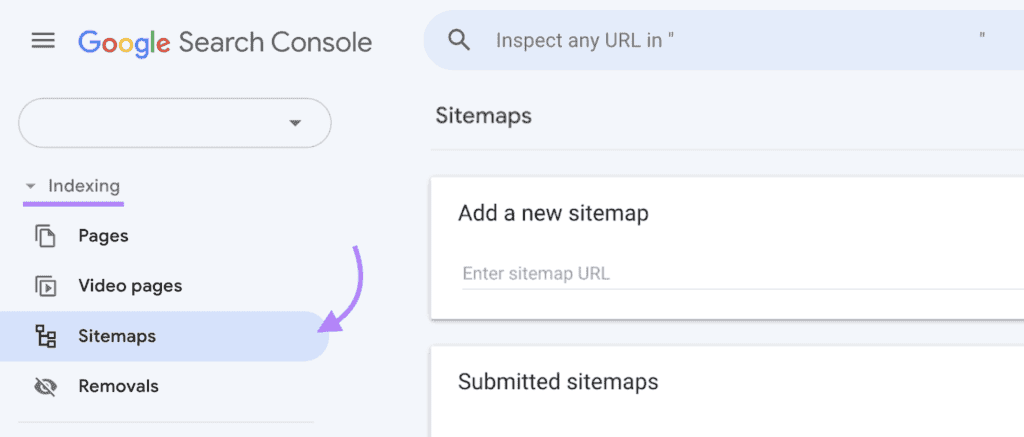
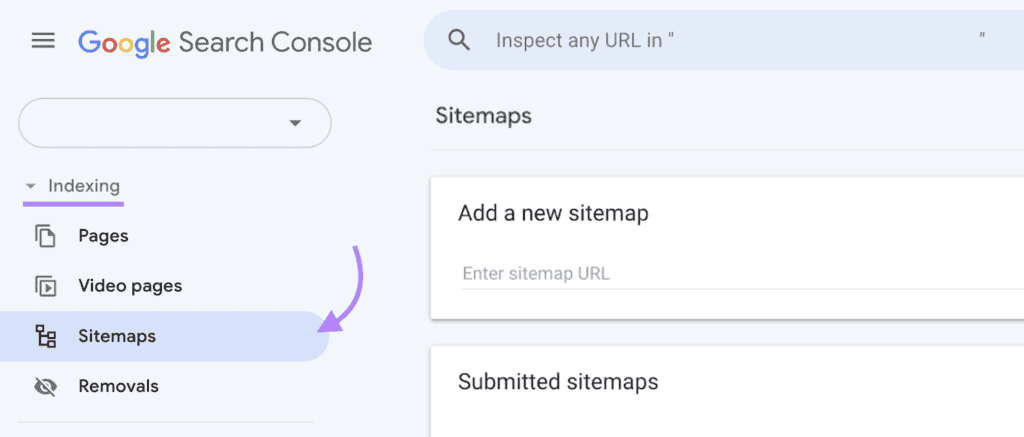
Keep your sitemap clean. Don’t include pages marked as noindex, faceted filter URLs, or staging environments. These just create noise. Once your sitemap is ready, submit it to Google Search Console’s Sitemaps report so Google can discover updates faster. It’s a good idea to resubmit after major site launches or migrations.
| URL type | Include in XML sitemap? | Reason |
| Indexable pages returning HTTP 200 | Yes | Helps search engines discover your preferred pages. |
| Canonical URLs | Yes | Keeps sitemap entries aligned with your preferred URLs. |
| Pages marked noindex | No | These pages shouldn’t appear in search results. |
| Redirected URLs | No | Use the final destination URL instead. |
| Faceted filter URLs | No | Avoids adding unwanted URL variations. |
| Staging or test pages | No | Keeps unpublished content out of your sitemap. |
For large websites, break your sitemap into smaller, organized files. For example:
- /sitemap-categories.xml for category pages
- /sitemap-products.xml for product listings
- /sitemap-posts.xml for blog posts
This makes debugging easier and keeps file sizes manageable, especially on large sites, such as when improving e-commerce SEO.
If your site serves multiple regions or languages, you can add hreflang tags directly in the sitemap. This helps Google serve the right version of your page to the right audience and reduces duplicate content risks across locales.
For example, if you have an English (US), English (UK), and Spanish (Spain) version of a product page, your sitemap entry could look like this:
<url>
<loc>https://example.com/product</loc>
<xhtml:link rel=”alternate” hreflang=”en-us” href=”https://example.com/us/product”/>
<xhtml:link rel=”alternate” hreflang=”en-gb” href=”https://example.com/uk/product”/>
<xhtml:link rel=”alternate” hreflang=”es-es” href=”https://example.com/es/product”/>
<xhtml:link rel=”alternate” hreflang=”x-default” href=”https://example.com/product”/>
</url>
This is a shortened example. In a complete hreflang sitemap, create a separate URL entry for each language version and include the same set of alternate-language links in every entry.
If you’re on WordPress and want to generate these (which you should) automatically, you can use a plugin like the WordPress Multilingual Plugin (WPML), which creates real pages per language. Then, use an SEO plugin like Rank Math that reads the WPML data and creates a proper sitemap you can submit to Google.
Pro tip: Only include URLs that return a 200 status, are indexable, and use your preferred canonical URL. This reinforces consistent signals between your canonical tags, internal linking, and sitemap, instead of sending Google mixed messages.
Core Web Vitals
Core Web Vitals are three Google metrics that measure how people experience your website. They focus on loading speed, responsiveness, and visual stability. Poor scores can frustrate visitors and hurt your site’s search performance.
Here’s what each metric measures, the scores to aim for, and how to fix common issues.
Largest Contentful Paint (LCP)
LCP measures how long it takes for the largest visible image or text block to load. Aim for 2.5 seconds or less.
Common causes of poor LCP scores include:
- Render-blocking CSS or JavaScript
- Large images
- Slow servers
To diagnose issues, run your URL through PageSpeed Insights. Check which element triggers LCP, then look for delays. Compress large images and reduce server response times where needed.
Interaction to Next Paint (INP)
INP measures how fast a page responds when someone clicks, taps, or types. A good INP score is 200 milliseconds or less.
Google replaced First Input Delay (FID) with INP on March 12, 2024. Unlike FID, INP tracks responsiveness throughout a user’s visit, not just their first interaction.
These can cause poor INP scores:
- Slow event handlers
- Heavy JavaScript
- Long tasks
Use PageSpeed Insights to check real-user data and Lighthouse to identify scripts that block the main thread.
Cumulative Layout Shift (CLS)
CLS measures how much visible content moves around as a user interacts with a page. Aim for a score of 0.1 or less.
Ever tried clicking a button, only for an image to load and push it down? That’s a layout shift.
Common causes include:
- Images without set dimensions
- Ads without reserved space
- Late-loading fonts
Use Lighthouse to spot layout shifts. Set image dimensions and reserve space for content that loads later.
To monitor all three metrics, check the Core Web Vitals report in Google Search Console. It uses real-user data to flag affected URL groups. Fix the issues, then track whether your scores improve.
Page speed optimization
Page speed is an important part of technical SEO because it affects how quickly visitors can access and interact with your website. A slow site:
- Tells Google that your page may not provide the best experience
- Increases bounce rate
- Frustrates visitors
On the other hand, a fast-loading site boosts user experience, improves Core Web Vitals, and helps you stay competitive in search rankings. Much of this speed baseline starts with your web hosting, since server response time directly affects how quickly the rest of the page can load.
Meeting Google’s recommended Core Web Vitals thresholds helps improve the user experience, although good scores alone don’t guarantee higher search rankings.
Screenshot provided by the author
Since March 12, 2024, web.dev reports that INP replaced First Input Delay (FID) as the responsiveness metric in Search Console, so snappy interactions matter more than ever.
Tracking Core Web Vitals is easy. Use PageSpeed Insights to view field data from the Chrome User Experience Report. Then, run Google Lighthouse for lab checks that point to long tasks, heavy scripts, and layout shifts.
Watch the Core Web Vitals report in Search Console to track over time and to spot regressions after deploys. Prioritize mobile first, since problems often show up there because of slower data speeds. Measure, fix one issue at a time, and re-test after each release.
Validating your foundational cloud architecture skills, such as the Microsoft AZ-305, is a must nowadays, and Exam Labs offers incredible resources to get you started.
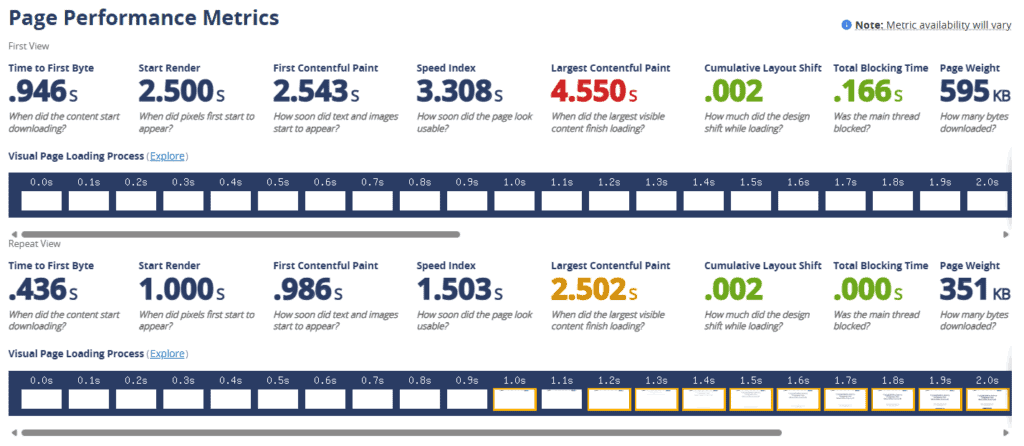
WebPageTest is a deeper diagnostic tool that visualizes how your site loads. You can view waterfalls, filmstrips, and request timings to identify potential issues, such as long Time to First Byte (TTFB), blocking CSS, or third-party scripts that slow everything down.
Screenshot provided by the author
Together, these tools help you understand both the symptoms (slow rendering, input delays) and the causes (heavy scripts, slow servers).
Smart loading techniques
One of the quickest wins is lazy loading. You don’t have to force your browser to load every image up front. With lazy loading, it only loads resources when visitors scroll near them. This tactic reduces initial page weight and speeds up the first view.
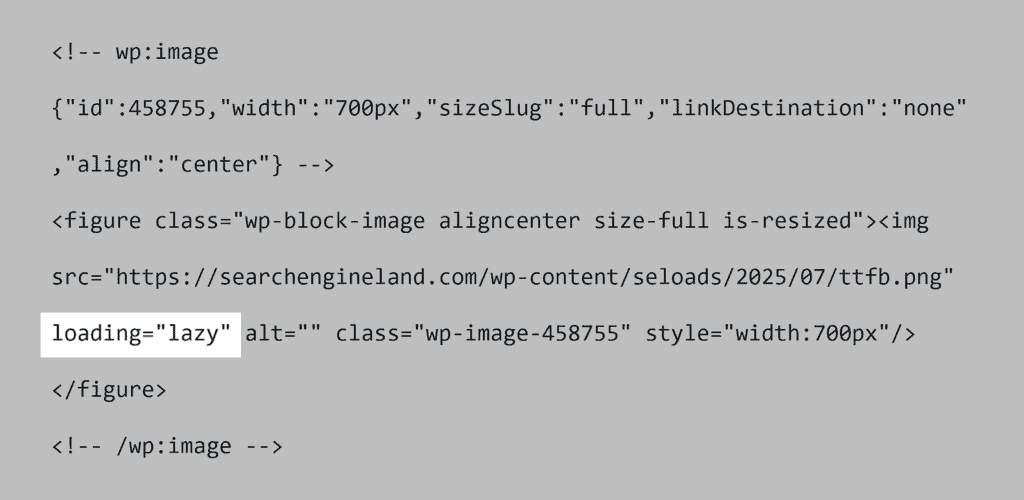
Go a step further by showing low-resolution placeholders (also called “blur-up” or “teaser images”) while the full version loads. This keeps the visual experience smooth and prevents layout shifts.
Other proven speed optimizations
Beyond smart loading, a few technical changes can improve your site’s speed. These can also improve the LCP and INP scores we covered in the Core Web Vitals section.
Here are other strategies that consistently move the needle on performance:
- Minify and bundle files to reduce overhead, but avoid one oversized bundle. Instead, split by route or template so users only download what they need.
- Compress images using modern formats, such as WebP, to reduce file sizes without significantly affecting image quality.
- Inline or preload critical CSS and fonts so above-the-fold content renders quickly.
- Defer non-essential JavaScript to prevent blocking the main thread.
- Use HTTP/2 or HTTP/3 for faster asset delivery.
Mobile-friendliness
A poor mobile experience can cost you both visitors and rankings. Google rewards sites that are easy to use on small screens because they deliver a better user experience.
Mobile optimization isn’t just about website design. It directly impacts SEO and conversions. A smooth mobile experience makes content easier to access and navigate. It also supports better page usability, which is an important part of maintaining a search-friendly website.
- Conversions: A smooth mobile journey keeps people from getting frustrated. Clear navigation and accessible forms make it easier for mobile visitors to complete actions such as signing up, making purchases, or submitting inquiries.
- User expectations: Mobile visitors expect pages to load quickly, even on slower data networks. Text should be easy to read, and navigation should be effortless. Buttons should be big enough for your target audience to click easily.
- SEO impact: A mobile-friendly design helps Google access and understand the mobile version of your content while improving the visitor experience.
Pitfalls to avoid
Not all mobile sites are created equal, and common mistakes can frustrate users and weaken your SEO. Watch out for:
- Unexpected events: Buttons that don’t work, accordions that don’t open, or images/sections that look clickable but aren’t.
- Unreadable text: Fonts that are too small, unclear (fancy or elaborate), or squeezed into tiny spaces.
- Hidden content: Accordions or JavaScript elements that hide key information on smaller screens.
- Heavy media: Oversized images or videos that slow down loading on weaker connections.
- Clumsy navigation: Tap targets that are placed too close together, making it hard to click.
- Intrusive elements: Pop-ups, sticky banners, or interstitials that block the main content.
Best practices for mobile success
The good news is that small improvements add up fast. By focusing on a few simple practices, you can create an effective mobile experience that performs well in search.
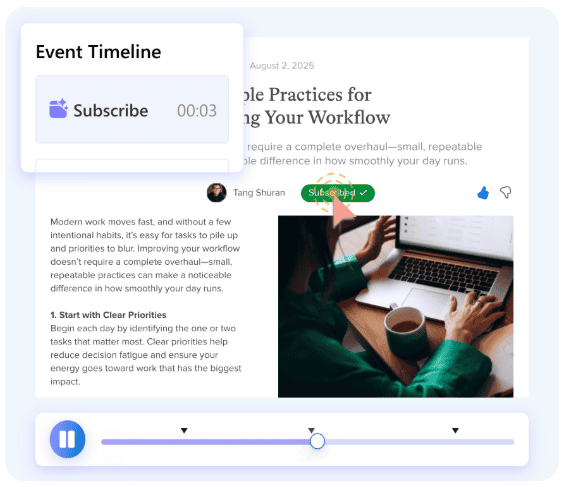
- Use heatmap tools like Microsoft Clarity. These let you see where visitors click, how fast they scroll, and where they bounce.
- Test your mobile site regularly on real devices, not just emulators, to catch usability issues after design updates.
- Keep navigation simple, and make sure your search box is easy to find.
- Compress and serve lightweight images without sacrificing quality.
- Build a responsive design that adjusts to different screen sizes.
Security and HTTPS
In the US and in most countries worldwide, the practical baseline for site security is HTTPS on every page with a valid, publicly trusted certificate.
HTTPS helps protect information exchanged between visitors and your website. Visitors expect secure connections, and browsers may show security warnings when a connection isn’t secure.
Here’s why HTTPS matters:
- Data protection. HTTPS encrypts information sent between the browser and your website, keeping it safe from interception.
- Search performance. While content relevance is still the biggest ranking factor, HTTPS can improve visibility in Google Search.
- Trust and identity. An SSL/TLS certificate proves your site is authentic, reassures visitors, and helps prevent phishing.


To secure your website properly, start with these core steps:
- Install an SSL/TLS certificate. Free options like Let’s Encrypt or commercial CAs both work.
- Redirect all HTTP pages to HTTPS. This avoids duplicate content and consolidates ranking signals.
- Enable HTTP Strict Transport Security (HSTS). This forces browsers to connect securely and blocks downgrade attacks and hijacking attempts.
If you use a managed hosting platform like Cloudways, Kubernetes managed services, or already use Cloudflare for your domain, you can set these up with just a few button clicks.
To further strengthen backend reliability, many teams rely on integrated DevOps services to automate deployments and streamline performance monitoring.
You can also strengthen web security with headers. These prevent accidental transmission or hijacking of scripts and files on your website, which also helps with technical SEO:
- Cross-Origin Resource Sharing (CORS): Tells the browser which sites can load your files (fonts, images, APIs). Allow your primary domain, subdomains, and CDN. If it’s too strict, fonts or scripts won’t load, but if it’s too open, you risk malicious sites using your private files and API endpoints. Set it correctly so pages render cleanly for users and Google’s renderer.
- X-Content-Type-Options: nosniff: Instructs browsers to respect declared content types instead of guessing them. This helps prevent CSS and JavaScript files from being interpreted incorrectly, reducing security risks and rendering issues. It also helps prevent certain attacks in which browsers execute malicious files disguised as other file types.
- Subresource Integrity (SRI): Adds an integrity hash (like SHA-256) to third-party JS/CSS tags so the browser only loads the exact file you approved. If someone changes that file on a CDN, the browser won’t run it. This guards against tampering and prevents sudden script errors that break pages.
- Referrer-Policy: strict-origin-when-cross-origin Shares only your site’s origin (not full URLs) when users click out. You keep useful analytics while keeping query strings and sensitive data private. Cleaner, safer, and can save your brand from privacy nightmares.
- Content-Security-Policy (CSP): An allowlist for scripts, styles, images, and frames. Start in Report-Only to see what would break, then enforce. This blocks unexpected code and reduces unexpected scripts that slow pages or break rendering.
- Permissions-Policy: Turns off visitor browser features you don’t use (camera, mic, geolocation, autoplay, etc.). Less access means lower risk and fewer background asks that can slow or distract users.
These aren’t direct ranking signals, but they keep content loading as intended, protect site security, and prevent rendering issues that can harm page experience and visibility.
While security headers protect your site infrastructure, teams working remotely or managing sensitive SEO tools and analytics accounts should also consider using a VPN to secure their own connections, especially when accessing admin panels, Google Search Console, or analytics platforms over public or untrusted networks.
Site and URL structure
A well-structured website makes life easier for both people and search engines.
When your site architecture is clear, users can find what they’re looking for faster, while crawlers can better understand the relationships between your pages.
Keep URLs clean and simple
URLs should be short, readable, and consistent. They should contain words your audience actually searches for. Separate these terms with hyphens and avoid unnecessary parameters or numbers.

Clean URL structures help users trust the link they’re clicking. Plus, they make it easier for search engines to understand what your content is about.
Organize content with a logical hierarchy
Think of your site like a library: Everything should have its place.
One effective model is the hub-and-spoke approach, where a main hub page covers a broad topic and links to more detailed blog posts or resources. This improves navigation and strengthens internal linking signals for SEO.
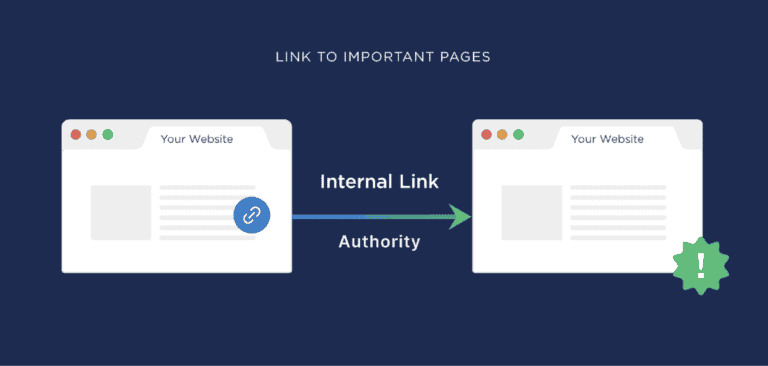
Adding breadcrumb navigation clarifies your site’s hierarchy for both users and Google. Marking breadcrumbs with BreadcrumbList structured data makes your pages eligible for breadcrumb-rich results.
Avoid duplicate or confusing signals
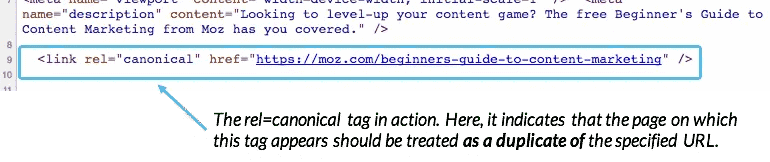
When multiple URLs show similar content, use canonicalization to point to the preferred page, and list only that URL in your XML sitemap. These canonical tags send a clear, consistent signal about which page should rank.
Structured data and schema markup
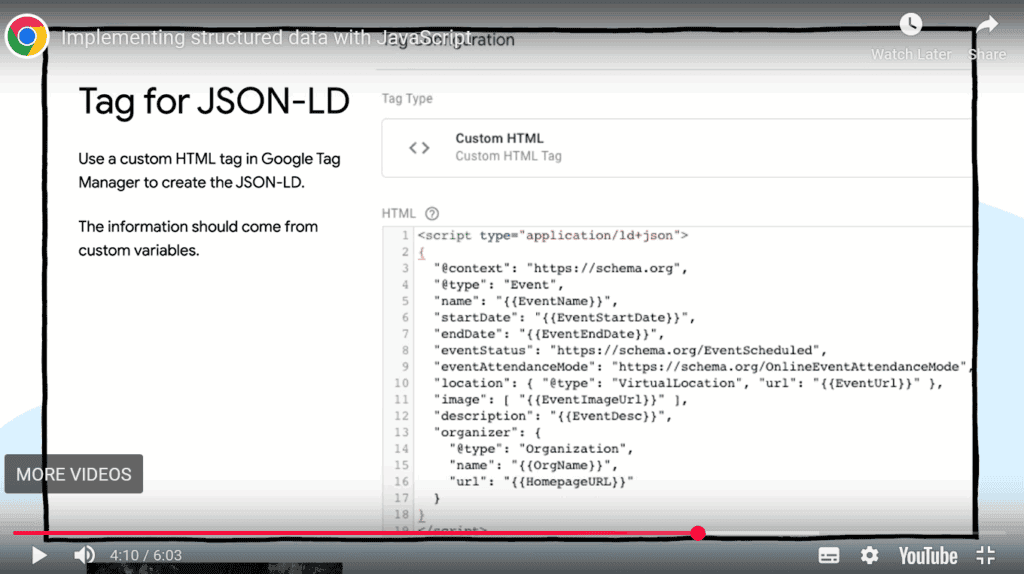
Structured data (also called schema markup) is a plain-language label for your web pages. It tells search engines what a page is so that they can show clearer search results.
Search engines can also use supported structured data to display eligible rich results, although adding markup does not guarantee enhanced search appearances. Think of it as adding name tags to your content.
To create structured data, use JSON-LD. Then match the markup to the page type. Use the most specific type you honestly qualify for.
For blog posts, use Article/BlogPosting. For products, use Product with price and availability. For reviews, add Review or AggregateRating. For tutorials, use FAQPage or HowTo to help optimize FAQ SEO.
Add BreadcrumbList for breadcrumb navigation, Organization for brand details, WebSite for site-level info, and VideoObject if video is the main act.
Three rules help you implement structured data correctly:
- Align markup with visible content. Don’t mark up what users can’t see.
- Use structured data types that accurately describe the page and its visible content. Multiple types can coexist when they represent different elements of the same page.
- Make structured data part of your SEO content production workflow, not an add-on.
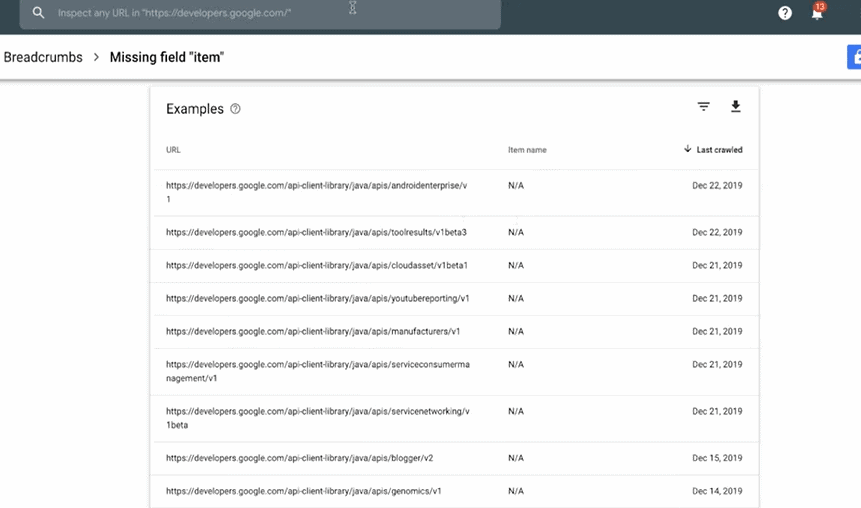
Validate in the Rich Results Test and monitor Google Search Console for warnings. Always re-check after theme or plugin updates, as tiny HTML markup changes can break eligibility.
For AI search, focus on schema types that describe your main content. Article and BlogPosting help identify written content, while Product, Organization, and BreadcrumbList provide context about products, brands, and site structure.
These can help search engines interpret your pages, but no schema type guarantees a citation in AI-generated answers.
Structured data won’t replace valuable content or on-page SEO, but it helps engines categorize pages correctly and earn richer search engine results when you qualify.
JavaScript rendering and AI crawler access
JavaScript helps websites display interactive content. But it can also create problems for search engines. If crawlers can’t access the content your scripts load, those pages may struggle to appear in search results.
Here’s why rendering affects both traditional SEO and AI search visibility.
How JavaScript rendering affects indexing
Googlebot can execute JavaScript, but the process consists of two stages. First, Google crawls the page’s HTML. Then, its rendering system runs JavaScript to access content that wasn’t available at first.
Problems can arise when scripts fail to load or block important content. Google may miss text, links, or other elements needed for indexing.
For example, if a product page loads its description through JavaScript and the script fails, Google may not see that description.
Use Google Search Console’s URL Inspection tool to check what Google can access. If content is missing, consider server-side rendering or pre-rendering to make it available in the initial HTML.
How AI crawlers access JavaScript content
AI crawler capabilities vary by provider, and not all crawlers execute JavaScript. Content that depends entirely on client-side rendering may therefore be inaccessible to some AI systems.
For example, an FAQ section that loads only after JavaScript runs may appear blank to an AI crawler. This can limit the information available for AI-generated answers.
To prevent this, make sure important text and links appear in the initial HTML. Server-side rendering can help make your content accessible to both search engines and AI crawlers.
Technical SEO tools
Many tools can help you find and fix technical SEO issues quickly.
Your stack in 2026 should cover crawl, index, render, speed, and structured data. Below are the essentials and how to use them.
Google Search Console
Use Google Search Console to submit your XML sitemaps every time you add or remove major sections. This helps search engines understand your updated site structure.
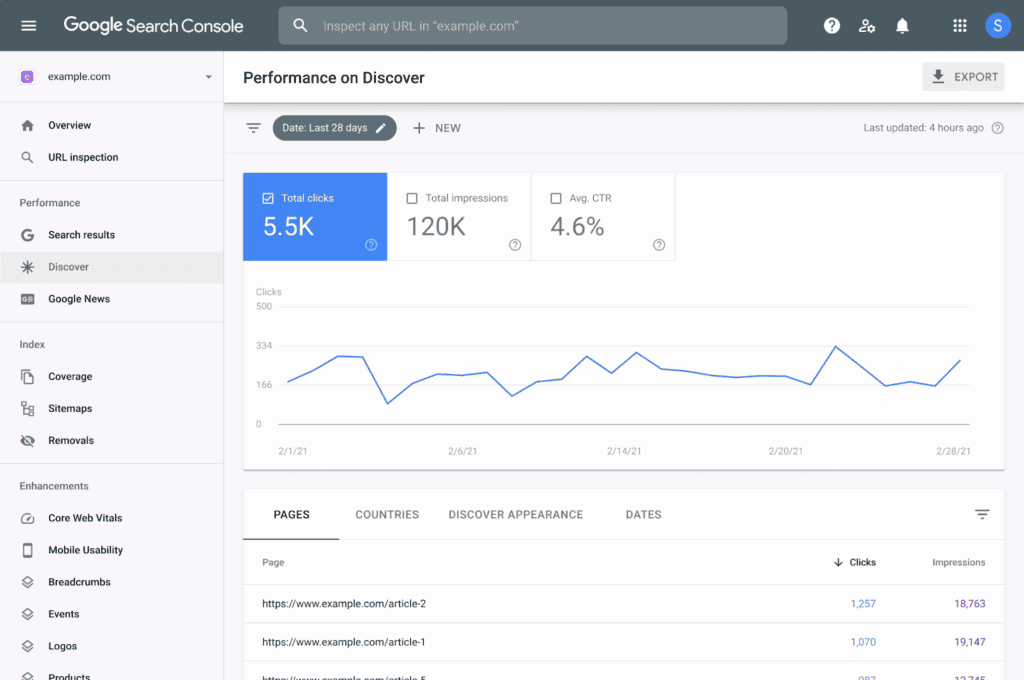
The Indexing and Pages reports show which URLs are indexed and why others aren’t. The Experience section shows Core Web Vitals by device with field data. You can also inspect a URL to see how Googlebot fetched, rendered, and indexed the page, then request re-indexing after fixes.
Regular checks in Search Console help you identify and fix crawl errors that would otherwise prevent search engines from properly accessing site pages.
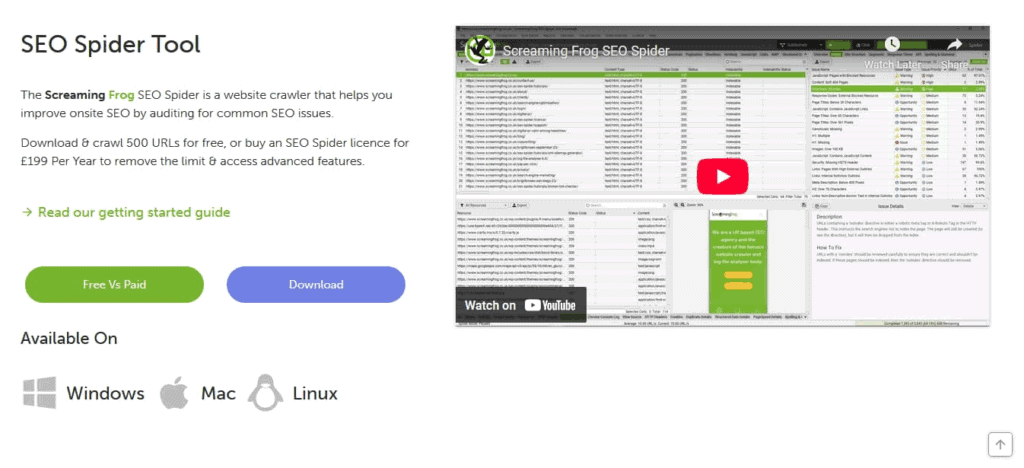
Screaming Frog SEO Spider
Screaming Frog SEO Spider is a workhorse. It helps users track their website’s technical SEO performance.
It can crawl your site to audit site structure, meta tags, and URL structure. It can check internal links, canonical tags, and redirects. It even generates broken link reports and schema markup.
Additional useful tools
Here are some other latest SEO technologies you can use:
- PageSpeed Insights and Google Lighthouse: Insights shows real-user (CrUX) data for Core Web Vitals. Lighthouse points to the code-level culprits, like render-blocking CSS/JS, large images, and long tasks. Use these to track page load times of each template (blog, product, etc.) over time.
- Ahrefs (Site Audit and Site Explorer): Great for crawling large sites and spotting broken links, redirect chains, thin or duplicate content, and weak internal linking. The Site Audit flags Core Web Vitals hints, canonical tag problems, and URL structure issues so you know what to fix first.
- WebPageTest: When you need to know why pages are loading slowly, run a waterfall and filmstrip. You’ll see slow third parties, high TTFB, or chat widgets delaying LCP. Perfect for proving wins after you add a CDN or change font loading.
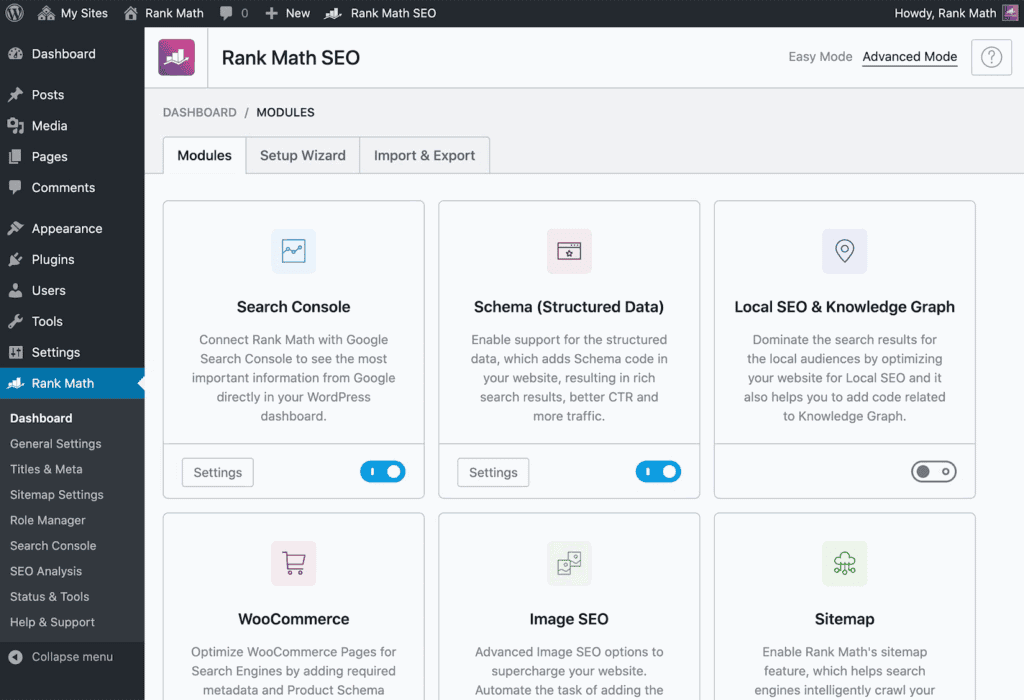
- Rank Math: Offers an SEO dashboard in WordPress. Great for automatic XML sitemaps, schema markup, 404 monitoring, and redirection rules. It helps you control canonical URLs and avoid redirect chains without custom code.
- W3C Validator and W3C CSS Validator: Clean HTML markup and CSS reduce layout bugs that inflate CLS and break structured data. Quick passes here save hours of chasing weird rendering issues later.
Monitoring and maintenance
Technical SEO isn’t something you set once and forget about. Content changes, new templates roll out, vendors load new scripts, and a single plugin update can spike CLS or INP. Keep a steady rhythm: monitor, audit, fix, and re-check. Make it part of your SEO checklist, just like on-page practices.
Regular site audits
Run a regular (at least monthly) crawl to spot any issues and fix them early. These include:
- Missing or conflicting canonical tags and canonical URL mismatches
- Pages accidentally blocked by robots.txt or noindex directives
- Redirect chains and 302s that should be 301s
- Duplicate title and meta description issues
- Structured data errors and missing fields
- Orphan pages without internal linking
- Broken link issues and 404 errors
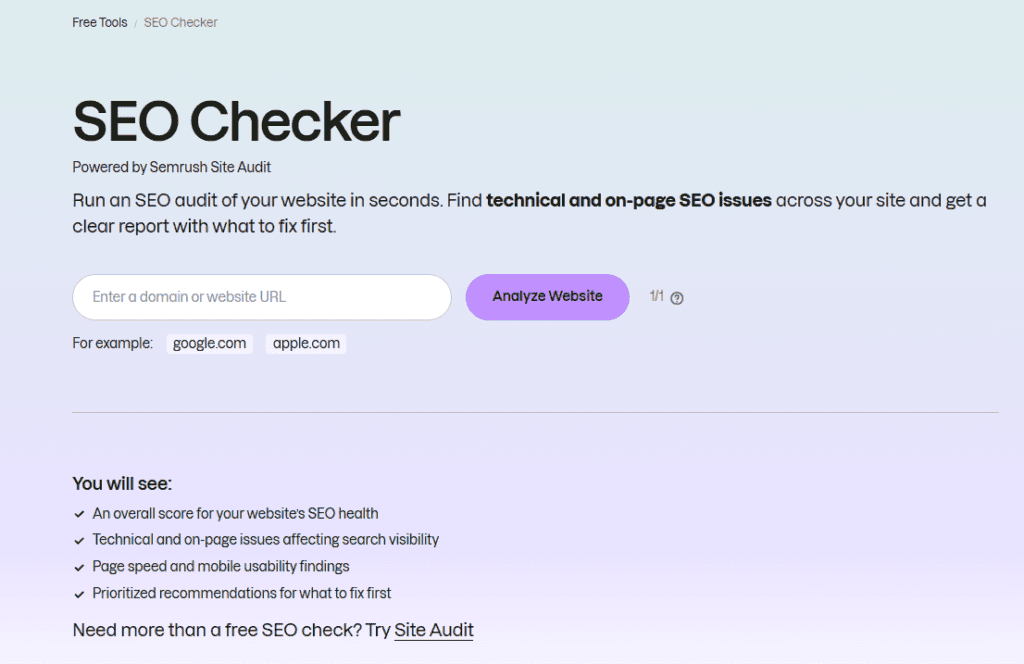
An SEO checker like Semrush’s Site Audit can automate this monthly crawl and surface these issues in one dashboard, saving hours of manual checking across multiple tools.
Pair this with monthly PageSpeed Insights checks. Track Core Web Vitals and page load times by template (blog, product, category).
If LCP shoots up, look for new hero images, font changes, or server latency that may have caused the rise. For INP spikes, check long tasks, event listeners, and main thread JS.
Addressing critical issues and staying updated
Here are the top issues that tend to occur. Delaying action can affect customer acquisition, brand reputation, and search visibility, so address these issues promptly:
- Duplicate content: Missing canonical URL or parameters creating duplicates
- Slow templates: Heavy JS/CSS and unoptimized images killing LCP and INP
- Crawl blockers: Robots rules or meta directives that hide key sections
- Redirect chains: Multi-hop redirects that slow users and dilute signals
- Site security: Missing HTTPS, expired SSL certificates, or no HSTS
Staying current matters. Follow Search Engine Land and Search Engine Journal for industry updates, and watch statements from John Mueller, who works at Google and shares official search guidance.
Use advanced SEO services to boost visibility as SEO rules evolve. Keep up with studies and popular technical SEO tools, as these often provide early indications of recent Google changes.
Where to start with your technical SEO audit
Start with Google Search Console to check whether search engines can crawl and index your most important pages. Fix any issues you find before moving on to other technical SEO checks.
Technical SEO makes great content easy to find, fast to load, and smooth to use. Get the basics right by maintaining clean architecture, clear internal links, accurate schema, and secure HTTPS to remove technical barriers to growth.
Use Search Console to spot problems early, then ship frequent, lightweight improvements. That consistent approach helps maintain site performance and prevent recurring technical issues.
Some technical SEO issues require coordination between SEO specialists and developers, especially when they involve site architecture or rendering. If your team needs support, uSERP’s SEO services can help identify technical priorities and support your broader search visibility strategy.
Frequently asked questions
What is the difference between technical and on-page SEO?
Technical SEO focuses on how search engines crawl, index, and access your website. It covers site speed, security, and URL structure. On-page SEO focuses on the content visitors see, such as headings, keywords, and internal links.
Both help your pages perform in search results.
How often should you run a technical SEO audit?
Run a technical SEO audit at least once a month to catch issues before they affect your site. Also check your site after major updates, redesigns, or migrations. Use Google Search Console to monitor indexing errors and track Core Web Vitals between audits.
What are the most common technical SEO issues?
Common technical SEO issues include:
- Missing canonical tags
- Duplicate content
- Crawl errors
- Broken links
- Slow pages
Poor mobile performance and incorrect redirects can also cause problems. Tools like Screaming Frog and Google Search Console can help you find these issues and decide what to fix first.
Do you need a developer for technical SEO?
Not always. You can handle some technical SEO tasks yourself, such as:
- Monitoring site performance
- Submitting XML sitemaps
- Checking indexing errors
More complex fixes, like JavaScript rendering problems or server configuration changes, may need a developer’s help.