




A high website spam score can be concerning, especially when you’re trying to improve search rankings and organic traffic. However, the score itself doesn’t determine how Google ranks your website. What matters is whether the underlying issues point to actual problems with your site’s quality or backlink profile.
When you see that number climbing, it’s natural to question what’s happening with your website and how serious the problem is. You might wonder if suspicious backlinks are hurting your rankings or if Google has flagged your site for spam. But what does that number actually tell you?
Spam scores come from third-party SEO tools, and a high score doesn’t automatically mean Google has penalized your website. To reduce your spam score, start by understanding what’s causing the concern and what needs your attention.
In this guide, you’ll learn how to lower your spam score by spotting warning signs, fixing underlying website issues, and monitoring your search performance.
Highlights
- Prioritize suspicious backlinks and potential spam policy violations before making major website changes.
- Fix causes, not just a number in a spam score checker.
- Improve content depth, address technical SEO issues, and add trust signals.
- Keep security tight with SSL encryption, headers, and updates.
- Track changes in Google Search Console and continually adapt to algorithm updates.
What “spam score” really means (and what Google actually uses)
Before you learn how to reduce your spam score, you need to understand what it really means.
Many site owners panic when they see a high number in a website spam score checker, but not all of it reflects what search engines actually use.
Here’s how to read the score and decide when to act for search engine optimization (SEO).
Tool metrics vs. Google policies
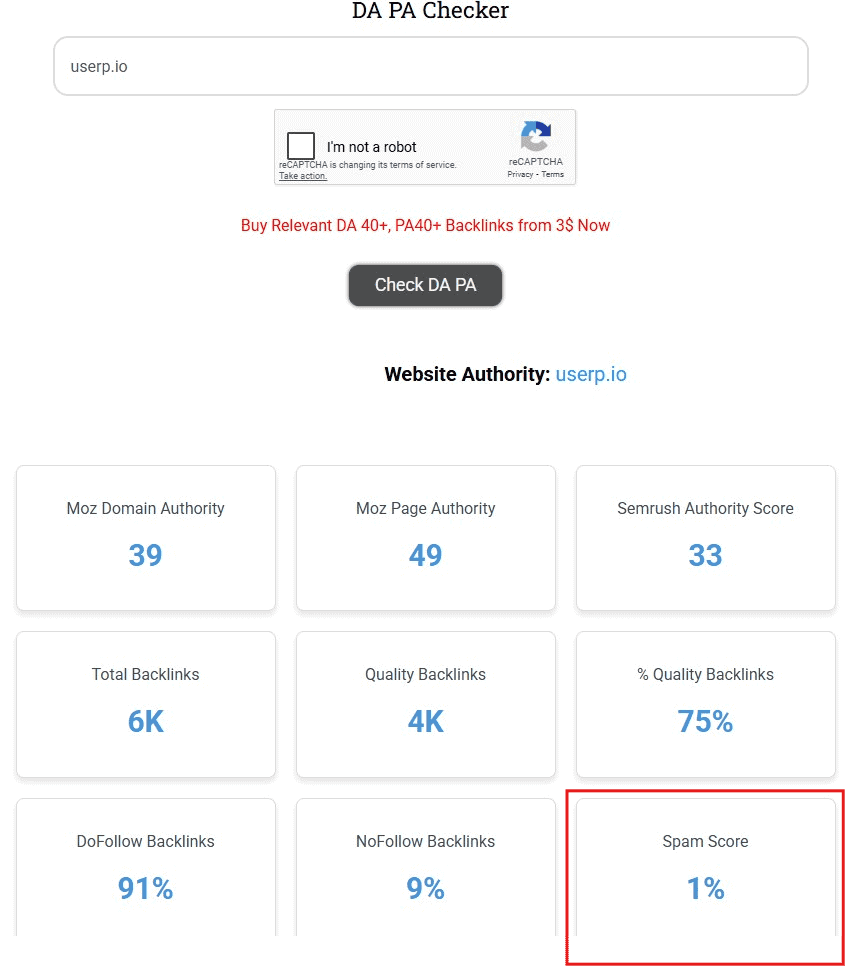
A spam score is not something Google assigns to your site. It’s a third-party metric created by SEO tools (like Website SEO Checker) to estimate risk.
Each SEO tool uses its own methodology. Moz’s Spam Score estimates how closely a website’s characteristics resemble those of sites in its dataset that Google has penalized or banned. It does not represent a Google penalty or directly measure the value of incoming backlinks.
Other SEO metrics, like Moz Domain Authority and Ahrefs Domain Rating, also use their own scoring systems. Understanding how these metrics work can help you assess your website’s performance without treating third-party scores as Google ranking factors.
But search engines rely on their own spam policies. In 2024, Google expanded its spam policies to target issues like:
- Scaled content abuse
- Expired domain abuse
- Site reputation abuse
That means your goal isn’t just to lower the score in checkers.
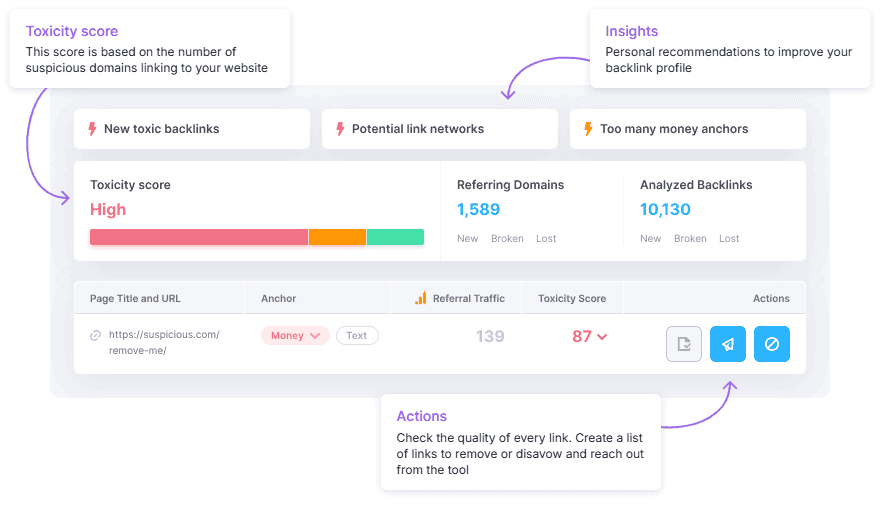
Your goal is to address the underlying issues that trigger those policies, such as toxic backlinks and manipulative link schemes.
You can use tools like Ahrefs’ Site Explorer and Semrush Backlink Audit to help you spot these issues across platforms.
Focus on creating high-quality content and removing risk signals so Google sees your site as trustworthy.
When a high score matters (and when it does not)
You don’t necessarily have to worry if you see a high number. Take action if you see:
- A manual action warning in Google Search Console
- A flood of exact-match anchor text
- A sudden spike in spam backlinks
These warning signs can point to different problems. For example, a sudden increase in backlinks from unrelated websites may mean it’s time to take a closer look at your link profile.
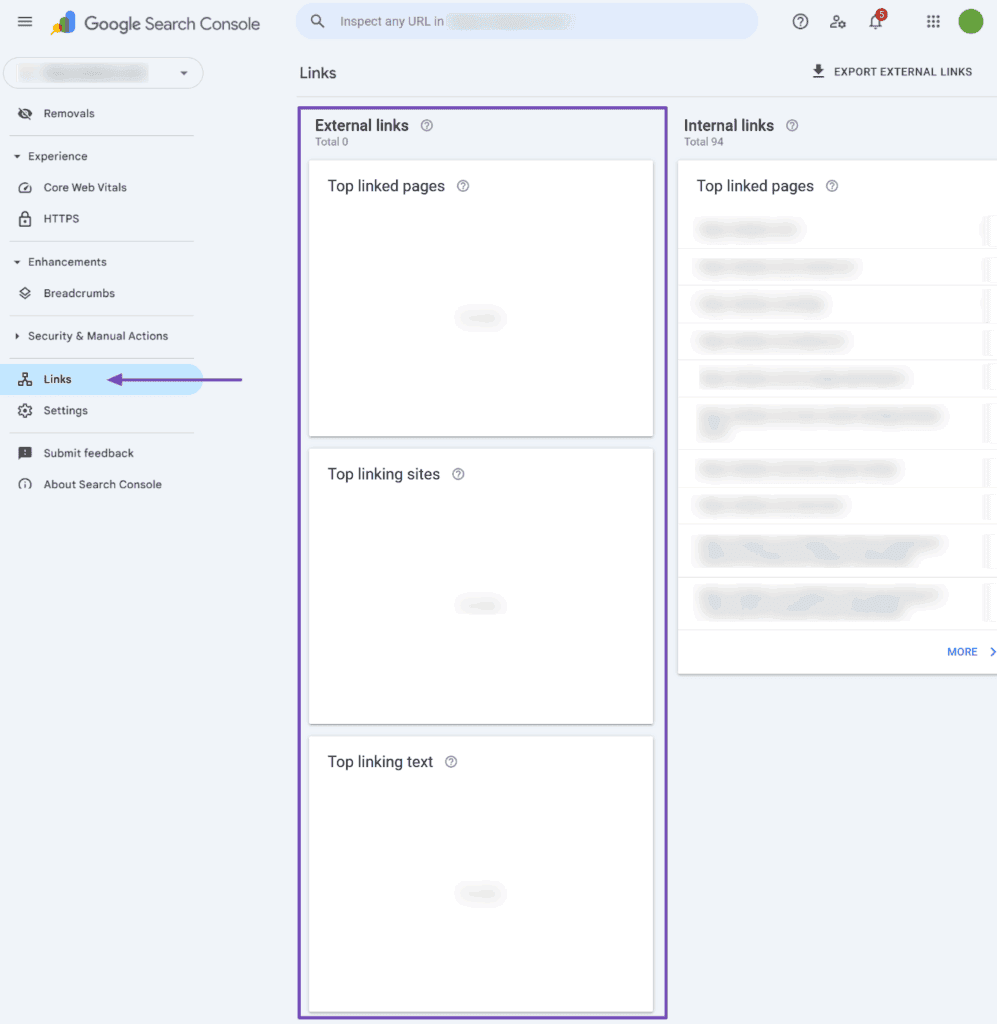
If you receive a manual action warning, open the report in Google Search Console to find out which policy Google says your site has violated. Check your organic traffic and keyword rankings for any unusual changes. You can also compare your latest backlink report with an older one to spot new links that deserve attention.
If your profile looks clean and you have no warnings, just keep an eye on it.
Some SEO tools may initially flag new brands and recently registered domains as risky, even without evidence of a Google penalty. Always validate with search engine data before making big changes like disavowing links.
If you’re working with a previously owned domain, review its past use and look for signs of spam or major ownership changes. This can help you understand why a domain has a questionable backlink profile before you decide what to fix.
How to read your spam score
Before you take action, check where your website falls on the Moz spam score scale. Moz uses a score from 1% to 100% to show how closely your site matches websites that have faced Google penalties.
Here’s how to read the different score ranges:
| Spam score | What it means | Should you take action? |
| 1%–30% (Low) | Your site has few spam-related traits. | Keep an eye on your backlinks. |
| 31%–60% (Medium) | Your site shares some traits with spammy websites. | Review your backlinks for warning signs. |
| 61%–100% (High) | Your site shares many traits with spammy websites. | Investigate suspicious links and fix any issues you find. |
So, what should you do if your website scores 70%? First, find out what’s behind that number.
Have you picked up dozens of backlinks from unrelated websites? Are several domains using the same keyword-heavy anchor text?
These patterns can be a red flag, especially if you’ve also noticed a drop in search traffic.
It’s also helpful to look at the bigger picture. A website with a 40% spam score and a sudden loss of organic traffic may need attention sooner than one with a 70% score and stable search performance.
Your score gives you a reason to investigate, while your backlink data and search performance help you decide what needs fixing.
Check Google Search Console for manual actions and security issues. If everything looks clean, keep monitoring your score before making major changes.
How to reduce your spam score: 4 practical steps
You don’t have to wait months to start seeing results. Here are simple steps you can start implementing this week to minimize risk signals and build trust quickly.
1. Audit backlinks and remove obvious junk
Export your backlink list from Google Search Console and your SEO tool platform. Look for warning signs such as low-quality forum links, repetitive keyword-rich anchor text, and links associated with private blog networks.
Then:
- Tag and separate toxic backlinks. Look for links from spammy sources, such as low-quality forums or private blog networks. Flag these, so you know which ones to target for cleanup.
- Send polite link removal requests. Contact site owners and request that they remove the links. Keep the message short and professional.
- Keep a record of all outreach attempts. Track who you contacted, when, and whether they responded. This record is helpful if you later need to use Google’s disavow tool because it shows you tried to clean things up manually first.
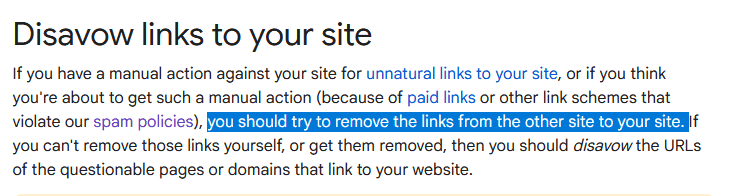
If removal requests fail, evaluate whether the links meet Google’s disavow criteria. Only consider disavowing backlinks when substantial unnatural links have caused, or are likely to cause, a manual action. Do not disavow links solely because a website owner does not respond.
Wait a few weeks after submitting the file and monitor results. Keep a changelog for your team and review new links every month. Finally, replace bad links by earning mentions through high-quality content on trusted sites and reputable forums.
If you’re seeing an influx of spammy backlinks, consider white-hat link building. These efforts can support a healthier backlink profile and strengthen your site’s authority, though they don’t guarantee a lower Spam Score.
2. Fix thin content and technical SEO issues
A messy site structure can make your site look low-quality. Fix technical SEO issues right away. These can include:
- Incorrect canonical tags
- Slow loading time
- Duplicate pages
- Orphan pages
- HTML errors
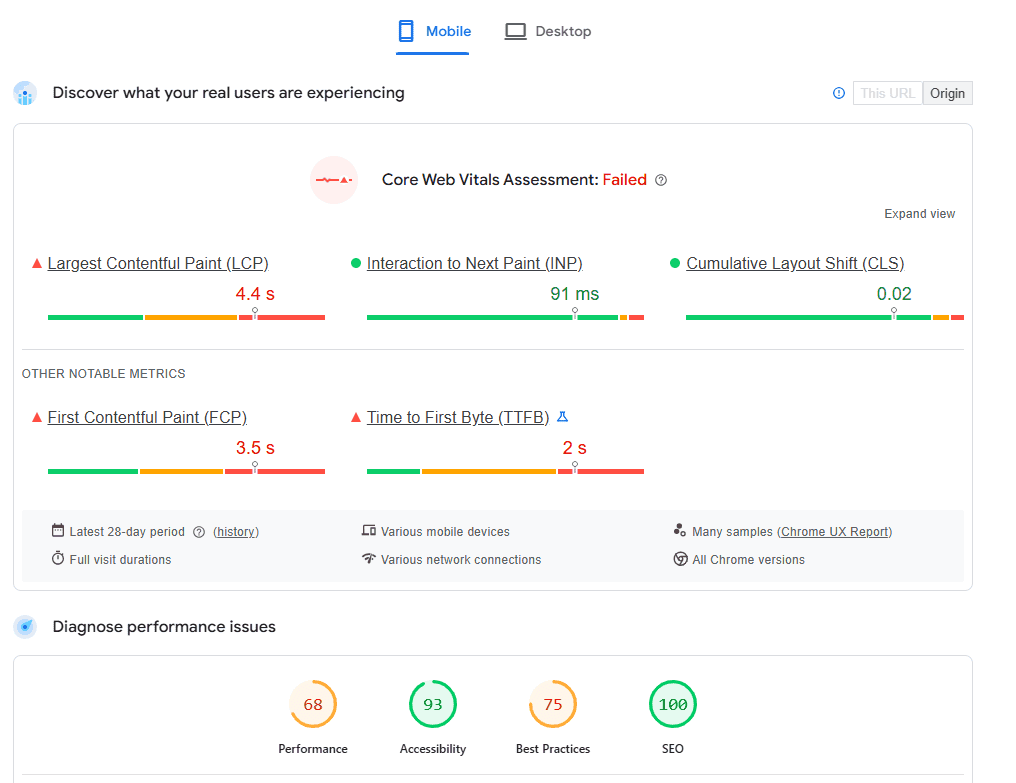
Screenshot provided by the author
While you’re at it, compress large images to improve site performance. Faster page loading can improve the user experience and reduce performance-related friction.
In fact, Google research shows that when sites meet Core Web Vitals, users are 24% less likely to bounce.
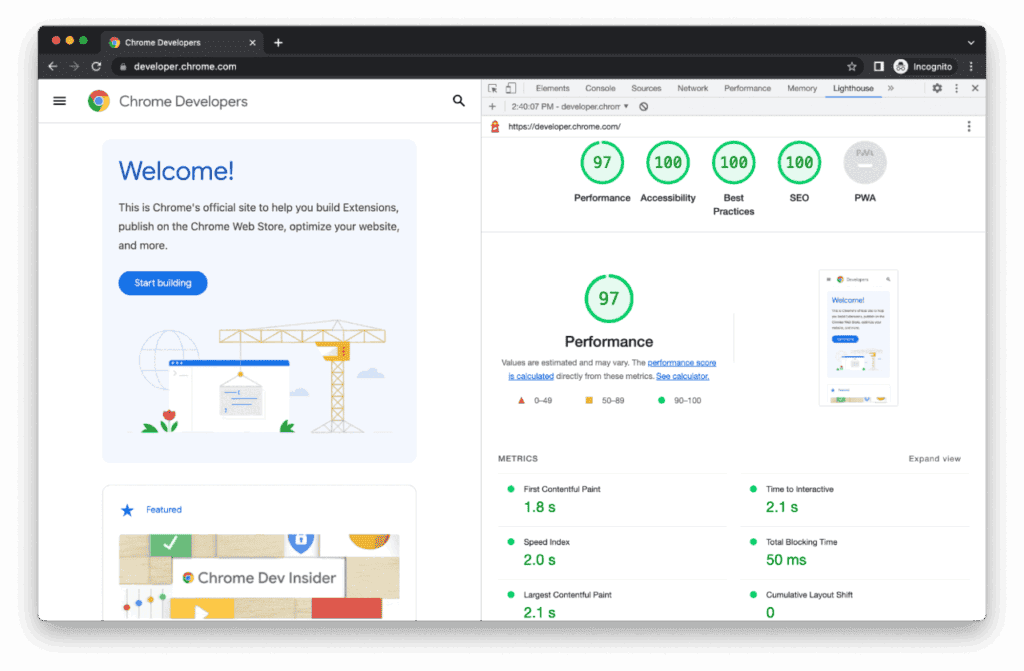
Tools like Lighthouse let you check Core Web Vitals, performance, accessibility, and SEO best practices in one place.
Make sure to address thin or low-value content. Merge duplicate articles, delete doorway pages, and rewrite old posts with better on-page SEO and sources. When you retire a page, use a 301 redirect if a closely relevant replacement exists. If no suitable replacement is available, return an appropriate 404 or 410 status instead of redirecting.
These changes can improve usability, help search engines discover important pages, and address technical issues that affect website performance. However, they do not guarantee a lower third-party Spam Score.
3. Strengthen brand and social signals
An active social media presence can help people discover your content and recognize your brand. Share relevant information with your audience and keep your branding consistent across profiles.
Avoid sites that promise quick traffic. Instead, find reputable forums in your niche and engage in community content discussions.
Let’s say you’re in a cooking enthusiasts’ forum. Someone asks if they can replace wheat flour with almond flour. You can reply with a detailed answer and a link to a blog post you recently published on baking flour.
Relevant forum participation can bring referral traffic and expose your content to interested readers. However, forum links do not automatically improve rankings or page authority. Similarly, blogger outreach can help you build relevant relationships and introduce your content to new audiences.
4. Lock down security and trust signals
Security is a key part of trust. Turn on full SSL encryption and install a valid SSL certificate. Configure your hosting settings, web server, or CDN (such as Cloudflare) to redirect HTTP traffic to HTTPS.
Consider doing the following, too:
- Removing old admin accounts
- Fixing mixed content warnings
- Patching plugins and themes
- Adding HSTS headers
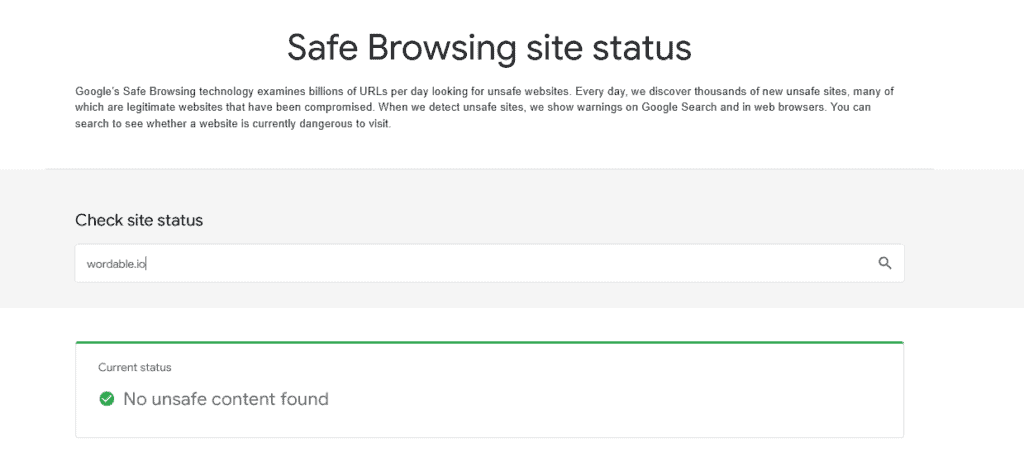
Run regular malware scans. If you find issues, fix them and request a review through Google’s Safe Browsing tools. A clean Safe Browsing status means Google hasn’t currently identified unsafe content, but regular security monitoring is still necessary.
These should be a core part of your technical SEO strategy.
How to reduce your spam score with deeper SEO fixes
Quick fixes are a great start, but a deeper cleanup helps you stay ahead of risk long term.
This involves reviewing how your site earns backlinks, the anchor text used in those links, and the quality of your existing pages. You’ll also need to check for link networks and spam in user comments.
Here’s how to tackle each area and clean up issues that affect your site’s SEO performance.
1. Remove PBN and link farm footprints
Private blog networks (PBNs) and link farms leave clear patterns, such as shared IP addresses, identical templates, and hidden external links in sidebars or footers.
Create a spreadsheet recording each suspicious domain, IP address, anchor text, and target page. Document any removal requests and their outcomes. If the links meet Google’s disavow criteria, follow the process outlined in the next section.
2. Rebalance anchor text and link velocity
Too many exact-match anchors can make a site look manipulative—rebalance with branded and URL anchors. Add surrounding context with co-occurring terms on quality pages.
A sudden increase in backlinks isn’t automatically a problem. Investigate whether new links come from relevant websites or appear to be part of a coordinated link scheme. Focus on earning legitimate links through valuable content and PR rather than trying to maintain a fixed growth rate.
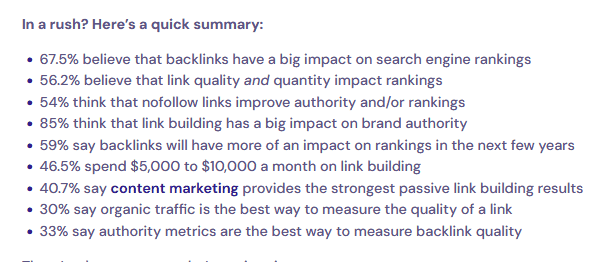
Our own state of backlinks for SEO 2025 report shows that 46.5% of marketers spend at least $5,000 on link building. Make sure your money (and effort) delivers not just a quick boost, but a plan for long-term growth. This farsighted approach keeps you aligned with Google’s spam policies.
3. Consolidate thin sections and moderate comments
Thin tags or author archives add noise. Merge them or set them to noindex.
Use moderation tools to review comments containing links before they are published. Use rel=”ugc” for links in user-generated content, and apply additional link qualifications where appropriate.
Poor UGC moderation can allow spammy links and low-quality comments to accumulate, creating unnecessary risks for your website.
Reviewing comments and qualifying user-generated links helps prevent these problems from accumulating.
Using Google’s disavow tool correctly
To reduce a website’s spam score, you’ve probably come across Google’s disavow tool. Here’s how to use it without harming your site.
When disavowing links actually helps
Google recommends disavowing backlinks when a website has a substantial number of artificial or low-quality links that have caused, or are likely to cause, a manual action. The tool should not be used simply because an SEO platform flags links as toxic.
Before using it, try link-removal outreach first by contacting the spammy pages linking to you. Keep proof of your attempts just in case this doesn’t get resolved.
If removal attempts fail and the links meet Google’s disavow criteria, add the relevant URLs or domains to your disavow file. Prioritize evidence of manipulative linking rather than third-party spam scores alone. Then wait for recrawls, which can take time.
After a few weeks, check your scores again as part of your weekly or monthly ultimate SaaS SEO checklist. Close monitoring gives you a clear before-and-after comparison.
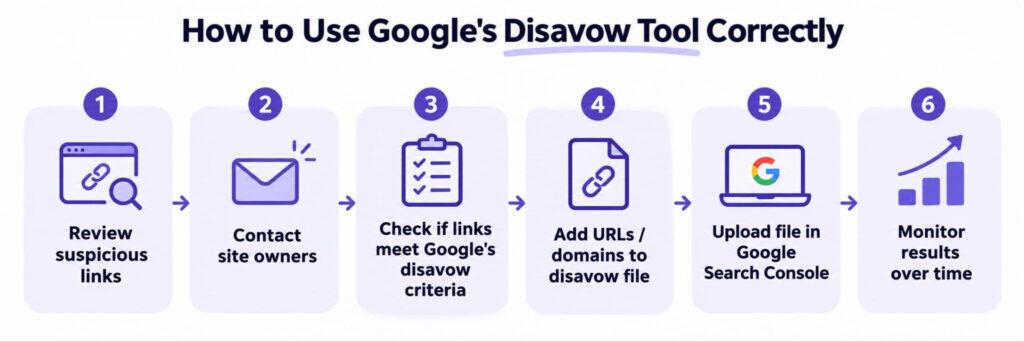
Image created by the author
Building a clean disavow file
Add domain-level entries when a domain is fully spammy. Include comments with dates and reasons so you can keep track of why you added each item to the list.
Store the file in version control, like Google Workspace or GitHub, in UTF-8 text format. Upload it to Google Search Console for the correct property and review new links every month.
Common pitfalls to avoid
Common mistakes to avoid include:
- Mass-disavowing because a tool marks something as toxic. A high spam score alone isn’t enough reason to disavow a link. Review the source and check for signs of link spam first.
- Not adjusting the file after algorithm changes. Review your disavow file when you find new evidence of harmful links. Remove entries for links you no longer need to disavow.
- Seeking an actual score. There’s no official Google spam checker. Use Google Search Console to check for manual actions and security issues.
- Over-disavowing legitimate backlinks. Review each domain before adding it to your disavow file.
How to track whether your remediation is working
After you clean up your website, you’ll want to see how those changes affect your search performance. Use Google Search Console to track impressions, clicks, and average position. You can also use a Google keyword position checker to see how your target keywords rank over time.
Before reviewing your results, save a record of your current metrics, so you have something to compare them against. Use the same date ranges for each report and pay attention to which pages gain or lose visibility.
Along with Search Console, review these metrics:
- Backlink profile: Use Ahrefs or Semrush to review new backlinks, referring domains, and suspicious links.
- Organic traffic: Use Google Analytics 4 (GA4) to track visitors from organic search.
- Keyword rankings: Check how your target keywords perform in search results.
- Spam score: Check Moz for changes in your website’s spam score.
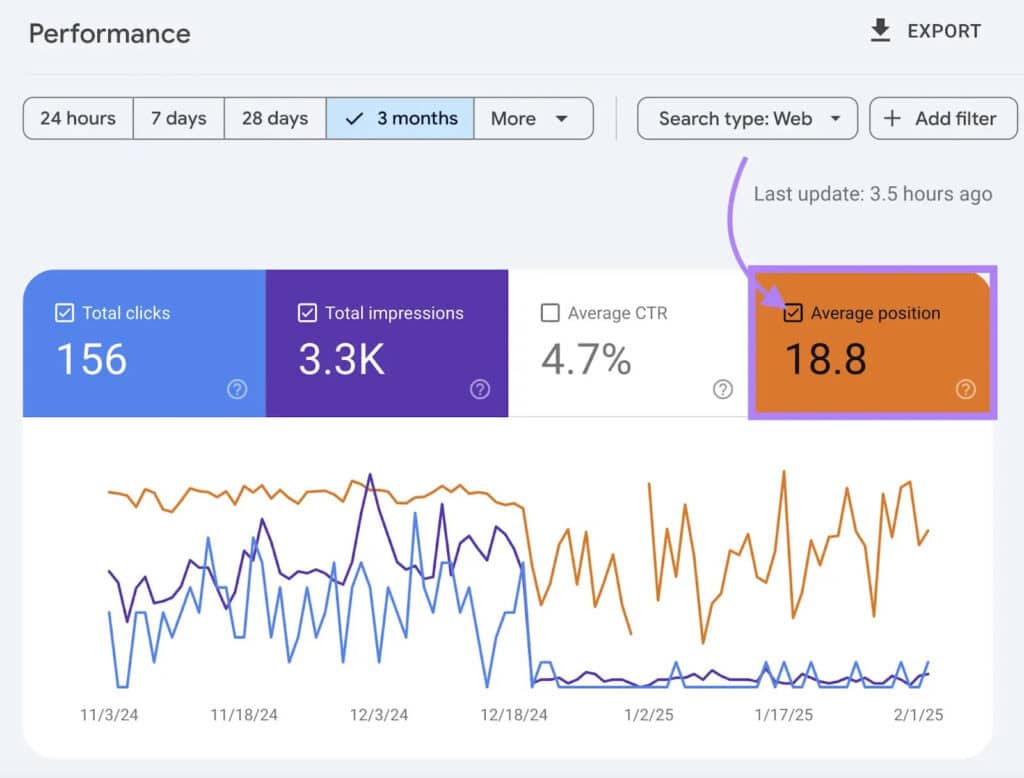
Now, how long should you wait before checking for improvements? Third-party SEO tools update their data on different schedules, so changes may take several weeks to appear. Check when your tool last updated its backlink data and compare reports to see which suspicious links have disappeared.
As new data comes in, review your results each month to see how your site is performing. Look for steady gains in traffic, impressions, and keyword rankings over several reporting periods. If you notice a sudden drop, check the affected pages and keywords to see if the decline continues.
Keep a record of removed links, updated pages, and technical fixes, along with the dates you made each change. This gives you a clearer view of your progress and helps you decide what to address next.
Rebuilding trust after a spam score cleanup
Reducing spam-related risks requires more than chasing a third-party score. Focus on resolving genuine link-quality problems, improving low-value content, and monitoring your search performance. Use the results to guide future changes, not unnecessary adjustments based on a single metric.
Once you’ve addressed existing problems, the next priority is maintaining a healthy backlink profile. If you need support earning relevant, high-quality backlinks through sustainable outreach, explore uSERP’s link-building services.
Frequently asked questions
Is there a Google spam checker?
No, Google doesn’t have a spam checker.
That said, you can use Google Search Console for manual actions and security issues. Use third-party tools (e.g., Seeders and Linkody) as a heuristic, but keep in mind Google’s advanced algorithm does not power them, so they can’t be 100% accurate.
Does domain reputation affect spam score and vice versa?
Yes, but only through causes. Tools may infer reputation from links, content, and host behavior.
If your link profile is messy or the content is thin, the spam score can rise. Clean up links, publish high-quality content, and keep a stable domain URL pattern. Cleaning up genuine website quality issues can strengthen your site’s overall condition, but changes to a third-party spam score depend on the tool’s methodology and update schedule.
Someone is plagiarizing my content word for word. How do I protect my score?
If another website copies your content without permission, consider submitting a DMCA takedown notice where applicable. For duplicate pages you control, use appropriate canonical tags to identify the preferred version.
Add clear first-published dates. Update and expand your original with new data, and include update dates. Promote your content to earn citations and social signals. This makes copycats look weak.
Does AI-generated content affect spam score?
AI can support content creation when human editors review its output for accuracy and usefulness. Google’s 2024 updates target scaled content abuse, not AI itself.
Mass-producing low-value content can violate Google’s spam policies and harm search visibility. Keep editing and add fact-checks. Cite primary sources and, when possible, include original data or new perspectives.
Does repurposing social content to a blog affect spam score?
Adding new context, examples, and sources can help.
Do not paste dozens of short posts as separate pages with the same copy. Instead, combine, edit, and expand as needed. This can help boost on-page SEO and help you create longer, in-depth content.
Do top-level domain extensions and domain age impact spam score?
Some tools flag some top-level domain extensions or very young domain ages as risky. Yet Google makes it clear that the algorithm prioritizes context.
A new domain name with strong content and clean links is fine. An old domain with link farms is not.
How long does it take to reduce your website’s spam score?
It depends on the issues you need to fix and how often your SEO tool updates its data. Moz may take several weeks or longer to reflect changes to your backlink profile. Check your score each month to see how your cleanup efforts are progressing.
Is a lower spam score proof that your SEO has improved?
No. A lower Spam Score reflects changes detected by Moz, not necessarily better Google rankings. Check organic clicks, impressions, and keyword positions to evaluate actual search performance.